
Are you a member of the Splunk Community?
- Find Answers
- :
- Using Splunk
- :
- Splunk Search
- :
- Re: Floating Button Blocking Search Results in UI
- Subscribe to RSS Feed
- Mark Topic as New
- Mark Topic as Read
- Float this Topic for Current User
- Bookmark Topic
- Subscribe to Topic
- Mute Topic
- Printer Friendly Page
- Mark as New
- Bookmark Message
- Subscribe to Message
- Mute Message
- Subscribe to RSS Feed
- Permalink
- Report Inappropriate Content

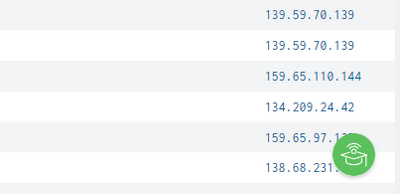
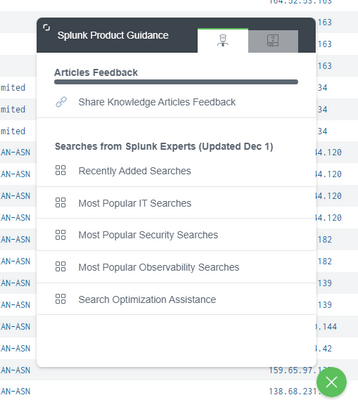
Is there a way to remove or relocate the floating "Splunk Product Guidance" button that appears on the lower right of search results? It has a tendency to block useful information and it's fairly annoying.
- Mark as New
- Bookmark Message
- Subscribe to Message
- Mute Message
- Subscribe to RSS Feed
- Permalink
- Report Inappropriate Content
On Splunk Cloud ES 8.2.2111.1. Looks like this app/widget comes enabled by default with this version. I disabled it and it got rid of the unwanted feature.
https://docs.splunk.com/Documentation/SplunkCloud/8.2.2111/Admin/ProductGuidanceApp
- Mark as New
- Bookmark Message
- Subscribe to Message
- Mute Message
- Subscribe to RSS Feed
- Permalink
- Report Inappropriate Content
On Splunk Cloud ES 8.2.2111.1. Looks like this app/widget comes enabled by default with this version. I disabled it and it got rid of the unwanted feature.
https://docs.splunk.com/Documentation/SplunkCloud/8.2.2111/Admin/ProductGuidanceApp
- Mark as New
- Bookmark Message
- Subscribe to Message
- Mute Message
- Subscribe to RSS Feed
- Permalink
- Report Inappropriate Content


where you are seeing this?
- Splunk Cloud, Splunk Enterprise, Specific to Application?
- Mark as New
- Bookmark Message
- Subscribe to Message
- Mute Message
- Subscribe to RSS Feed
- Permalink
- Report Inappropriate Content

@johnhuang Can you check your source code of the dashboard ? Search for something like splunk product else share the source code here if possible.

Index This | Why did the turkey cross the road?
Enter the Agentic Era with Splunk AI Assistant for SPL 1.4
Feel the Splunk Love: Real Stories from Real Customers
