
Join the Conversation
- Find Answers
- :
- Using Splunk
- :
- Splunk Search
- :
- Event log cannot be fully displayed in Field Extra...
- Subscribe to RSS Feed
- Mark Topic as New
- Mark Topic as Read
- Float this Topic for Current User
- Bookmark Topic
- Subscribe to Topic
- Mute Topic
- Printer Friendly Page
- Mark as New
- Bookmark Message
- Subscribe to Message
- Mute Message
- Subscribe to RSS Feed
- Permalink
- Report Inappropriate Content
Event log cannot be fully displayed in Field Extractor

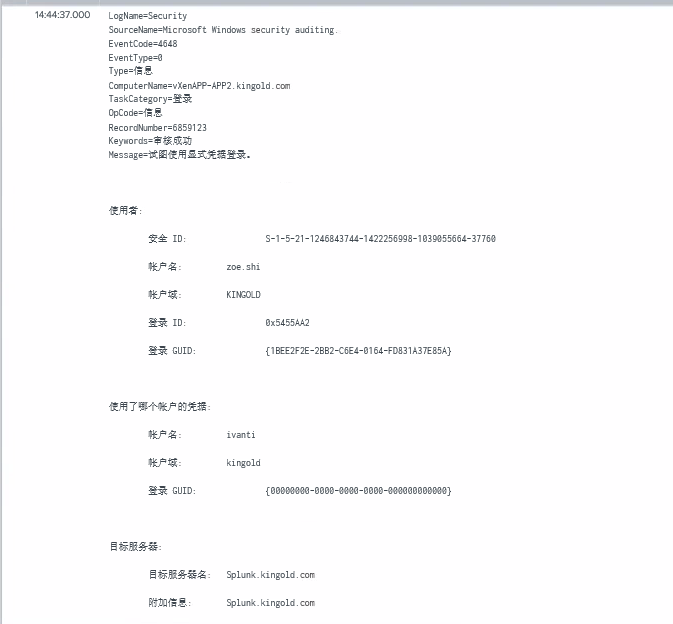
Hey fellow Splunker's. I'm trying to extract some fields from Windows event logs. When I search these logs the content looks great:
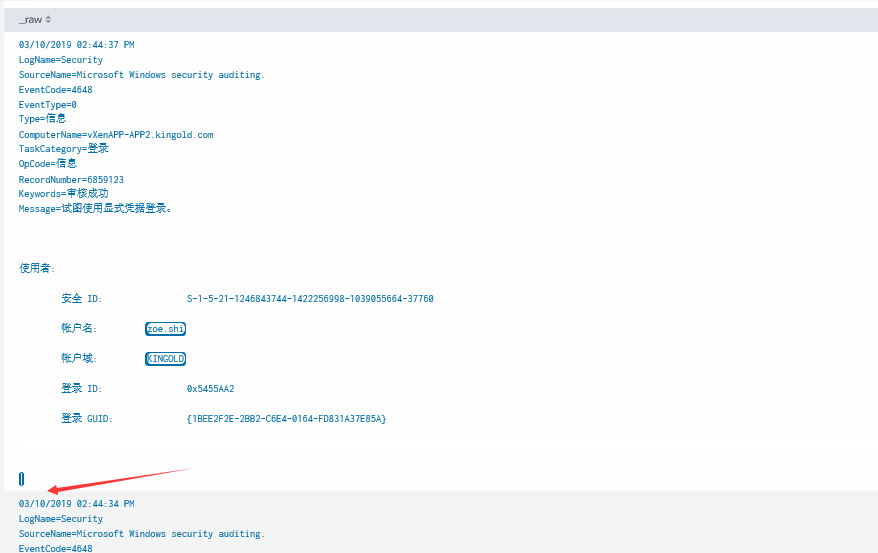
But when I want to extract more fields, some of the content just disappear in Field Extractor:
So I can't get those fields extracted. Any suggestions? Thanks in advanced!
- Mark as New
- Bookmark Message
- Subscribe to Message
- Mute Message
- Subscribe to RSS Feed
- Permalink
- Report Inappropriate Content
The built in field extractor could work but why don't you build your regex from scratch?
www.regex101.com will help and explain you a lot!
If you provide an example event and describe what you want to have extracted I'm sure that i can help you with that.
- Mark as New
- Bookmark Message
- Subscribe to Message
- Mute Message
- Subscribe to RSS Feed
- Permalink
- Report Inappropriate Content

Did you try setting CHARSET = UTF-16 in your props.conf?
Skalli
- Mark as New
- Bookmark Message
- Subscribe to Message
- Mute Message
- Subscribe to RSS Feed
- Permalink
- Report Inappropriate Content
Hi Skalli, thanks for you reply. I put CHARSET = UTF-16 to the props.conf in my app and still don't see the rest of the content.
- Mark as New
- Bookmark Message
- Subscribe to Message
- Mute Message
- Subscribe to RSS Feed
- Permalink
- Report Inappropriate Content

I believe the splunk's extractor only loads certain number of chars/events.. Have you loaded your event to rex101 [ https://regex101.com/] and tried to extract your required fields?
Another option, would be to setup the universal forwarder to collect the data in XML renderXml=true [ if that's acceptable in your case, as it will show everything in english]




Join the Splunk Community Slack to learn, troubleshoot, and make connections with fellow Splunk practitioners in real time!
Join Splunk User Groups to connect and learn in-person by region or remotely by topic or industry.
Announcing Modern Navigation: A New Era of Splunk User Experience
Analytics Workspace removal in Splunk 10.6
Vibe-coding, AI, and Splunkcraft: Highlights from the .conf26 Builder Bar
