
Join the Conversation
- Find Answers
- :
- Using Splunk
- :
- Splunk Search
- :
- Re: Embedded report shrinks when printing
- Subscribe to RSS Feed
- Mark Topic as New
- Mark Topic as Read
- Float this Topic for Current User
- Bookmark Topic
- Subscribe to Topic
- Mute Topic
- Printer Friendly Page
- Mark as New
- Bookmark Message
- Subscribe to Message
- Mute Message
- Subscribe to RSS Feed
- Permalink
- Report Inappropriate Content
Embedded report shrinks when printing

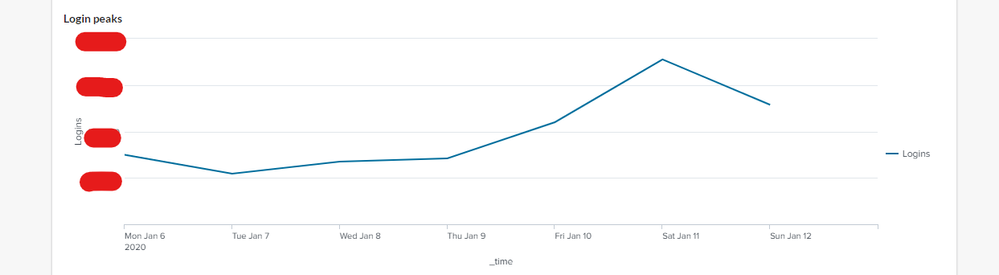
I have a webpage with a few splunk reports embedded to it using the embed option from the Embed page of splunk. Works all great, except when I press Ctrl+P (in any browser) the iframes go smaller in width and for example the tables all go messed up. The iframe width is set to 100%, theres no printing css rule in place that can cause this, I've tried landscape mode, removing margins and paddings, fochusing on the iframe, setting a minus width in print mode, nothing helped.
This is in the browser, looking good:
And this is the pringing preview:
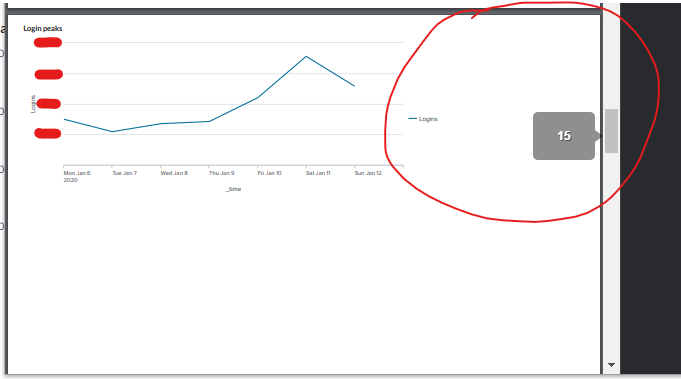
Feels like I've tried everything, so if you have any idea that can solve this issue, please let me know. Thanks!
- Mark as New
- Bookmark Message
- Subscribe to Message
- Mute Message
- Subscribe to RSS Feed
- Permalink
- Report Inappropriate Content

Also, check out the PDF apps in Splunkbase:
https://splunkbase.splunk.com/app/4132/
https://splunkbase.splunk.com/app/4030/
- Mark as New
- Bookmark Message
- Subscribe to Message
- Mute Message
- Subscribe to RSS Feed
- Permalink
- Report Inappropriate Content

@salmiakki try Firefox browser instead of Chrome.
| makeresults | eval message= "Happy Splunking!!!"
- Mark as New
- Bookmark Message
- Subscribe to Message
- Mute Message
- Subscribe to RSS Feed
- Permalink
- Report Inappropriate Content
I tried, edge too, same issue.




Join the Splunk Community Slack to learn, troubleshoot, and make connections with fellow Splunk practitioners in real time!
Join Splunk User Groups to connect and learn in-person by region or remotely by topic or industry.
Fuel Your Journey: What’s Waiting for You at the .conf26 Acceleration Station
Join the Final Session of the Data Management & Federation Bootcamp Series
From Data to Insight: Announcing the Winners of the Splunk Dashboard Contest
