
Join the Conversation
- Find Answers
- :
- Splunk Products
- :
- Splunk Enterprise
- :
- Splunk Light - Cannot add data
- Subscribe to RSS Feed
- Mark Topic as New
- Mark Topic as Read
- Float this Topic for Current User
- Bookmark Topic
- Subscribe to Topic
- Mute Topic
- Printer Friendly Page
- Mark as New
- Bookmark Message
- Subscribe to Message
- Mute Message
- Subscribe to RSS Feed
- Permalink
- Report Inappropriate Content
Splunk Light - Cannot add data

Hi,
I have followed the installation and configuration guide to get Splunk Light working and now I am at the point of adding a data source.
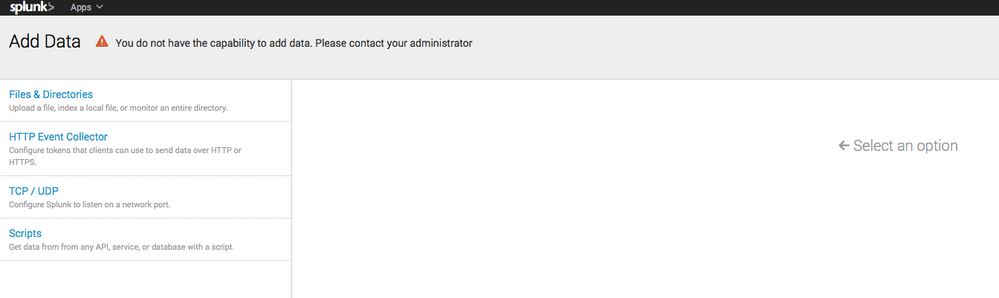
I get the same generic messsage (see screenshot) when I try to add a forwarder or setup syslog via the Monitor button.
There a lot of posts around about roles but as this is Splunk Light you only have the admin role to work with.
Am I missing something obvious?
Thanks,
- Mark as New
- Bookmark Message
- Subscribe to Message
- Mute Message
- Subscribe to RSS Feed
- Permalink
- Report Inappropriate Content


- Mark as New
- Bookmark Message
- Subscribe to Message
- Mute Message
- Subscribe to RSS Feed
- Permalink
- Report Inappropriate Content

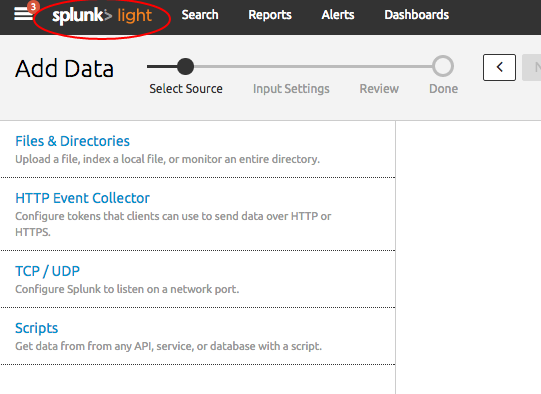
Based on the error message, this does seem to be a matter of your role not having the necessary permissions to add data to the instance. Sorry if this is a basic question, but are you sure you are using Splunk Light? The screen shot appears to be Splunk Enterprise.
- Mark as New
- Bookmark Message
- Subscribe to Message
- Mute Message
- Subscribe to RSS Feed
- Permalink
- Report Inappropriate Content
Yes that does look like the full Package, I will deploy again and see what happens.
Thanks,
Barry.




Join the Splunk Community Slack to learn, troubleshoot, and make connections with fellow Splunk practitioners in real time!
Join Splunk User Groups to connect and learn in-person by region or remotely by topic or industry.
Data Management Digest – September 2026
Federated Search for CloudWatch Unified Data Store Is Generally Available
Announcing Modern Navigation: A New Era of Splunk User Experience
