
Join the Conversation
- Find Answers
- :
- Splunk Products
- :
- Splunk Enterprise Security
- :
- Splunk Enterprise Security does not show Security ...
- Subscribe to RSS Feed
- Mark Topic as New
- Mark Topic as Read
- Float this Topic for Current User
- Bookmark Topic
- Subscribe to Topic
- Mute Topic
- Printer Friendly Page
- Mark as New
- Bookmark Message
- Subscribe to Message
- Mute Message
- Subscribe to RSS Feed
- Permalink
- Report Inappropriate Content
Splunk Enterprise Security does not show Security Posture

Dear all,
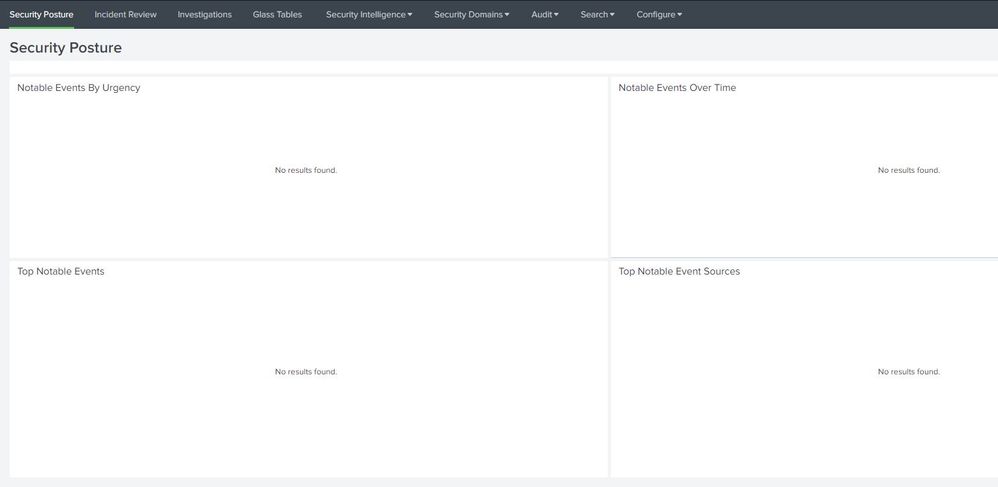
I have installed Splunk Enterprise Security but the Security Posture dashboard does not show any information.
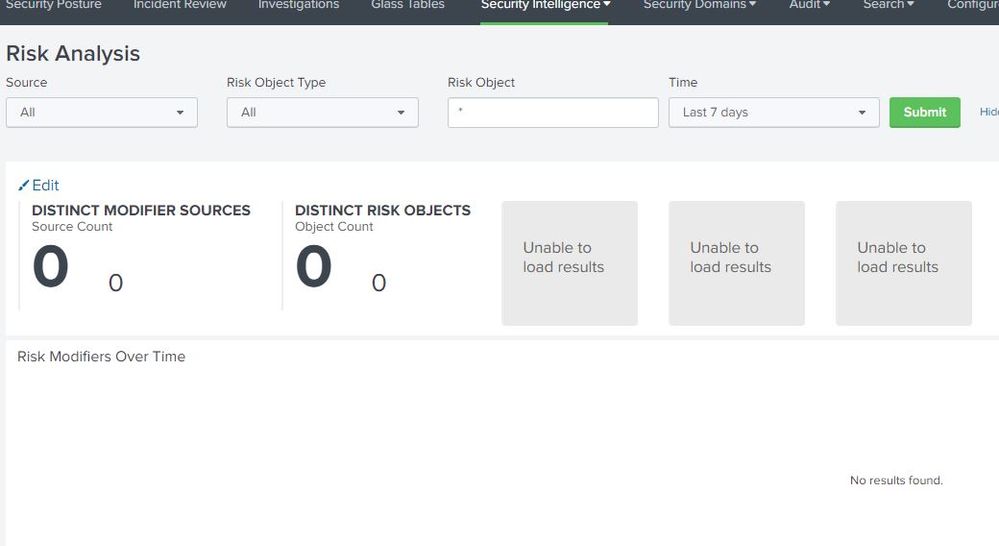
Security intelligence in particular Risk Analysis does not show any information as well.
I have reviewed all guides related to Enterprise Security configuration and I do not see any issues with my configuration.
Generally, Splunk is collecting many logs including Office 365 logs, AD logs, and Firewall logs, and they are perfectly displayed on Apps that are specialized for particular vendor logs (for instance Microsoft 365 app for Splunk). However, they are not reflected in Enterprise Security.
I have configured "Intelligence Downloads" by enabling almost all types of threats and almost all of them are downloaded successfully.
I am a new person in using Splunk and do not have a decent experience of configuring Splunk.
I have no idea what I should check or configure to find out the core of the problem.
Could you help me in addressing this issue? I am ready to provide my current configuration if it is needed.


Join the Splunk Community Slack to learn, troubleshoot, and make connections with fellow Splunk practitioners in real time!
Join Splunk User Groups to connect and learn in-person by region or remotely by topic or industry.
Unlocking Unified Insights: New Gigamon Federated Search App for Splunk
GA: New Data Management App in Splunk Platform
Announcing Modern Navigation: A New Era of Splunk User Experience
