
Join the Conversation
- Find Answers
- :
- Splunk Administration
- :
- Admin Other
- :
- Security
- :
- Splunk Change ur own password Capability -- Not Wo...
- Subscribe to RSS Feed
- Mark Topic as New
- Mark Topic as Read
- Float this Topic for Current User
- Bookmark Topic
- Subscribe to Topic
- Mute Topic
- Printer Friendly Page
- Mark as New
- Bookmark Message
- Subscribe to Message
- Mute Message
- Subscribe to RSS Feed
- Permalink
- Report Inappropriate Content
Splunk Change ur own password Capability -- Not Working in Splunk 6.1.2 version

Hi ,
I have a created a role called "userrole" and have imported the default "user" role capabilities and added the "change_own_password" to the capabity.
i.e below is the sample
[role_userrole]
importRoles = user
change_own_password = enabled
cumulativeRTSrchJobsQuota = 0
cumulativeSrchJobsQuota = 0
search = enabled
srchIndexesAllowed = _internal,_audit
srchMaxTime = 0
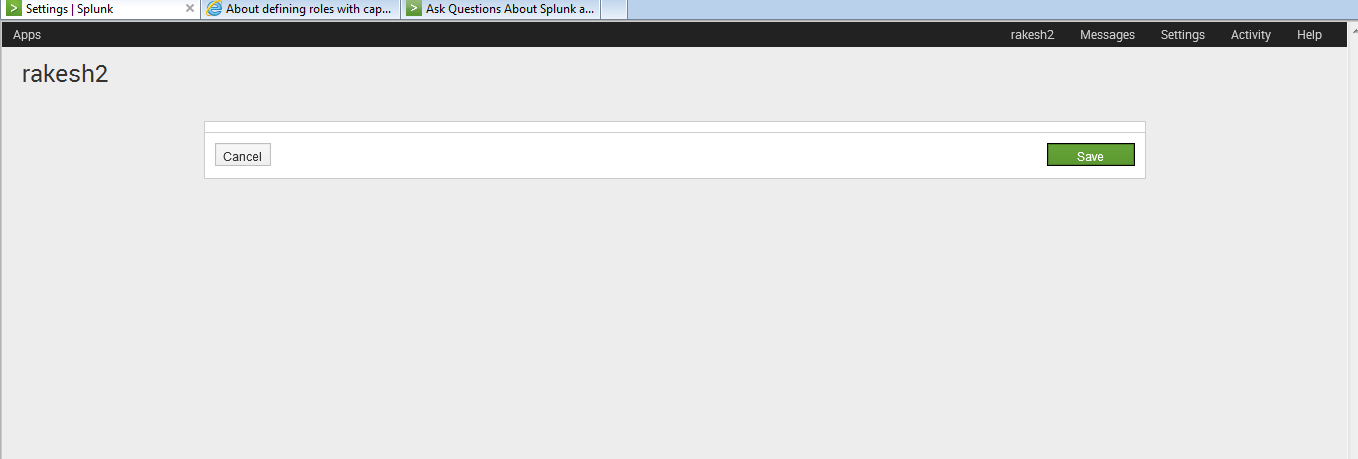
Now i have created a user called "rakesh2" and assigned the above role "userrole" . Once logging with the below user "rakesh2" and clicking on the edit account to change the password.. its not all showing me any data.
i am getting the below screen ..
alt text
Can anyone suggest ..is this a bug in 6.1.2 or am i missing something ??
- Mark as New
- Bookmark Message
- Subscribe to Message
- Mute Message
- Subscribe to RSS Feed
- Permalink
- Report Inappropriate Content

you should not need to add "change_own_password = enabled" and "search = enabled" as it is part the user role capabilities.
And i guess you added it manually in the conf file because it should not let you do so when doing it via the interface.
With the following it works for me:
[role_userrole]
cumulativeRTSrchJobsQuota = 0
cumulativeSrchJobsQuota = 0
importRoles = user
srchIndexesAllowed = *;_audit;_internal
srchMaxTime = 0
- Mark as New
- Bookmark Message
- Subscribe to Message
- Mute Message
- Subscribe to RSS Feed
- Permalink
- Report Inappropriate Content
Still no luck mario M .. 😞
- Mark as New
- Bookmark Message
- Subscribe to Message
- Mute Message
- Subscribe to RSS Feed
- Permalink
- Report Inappropriate Content
did you try with 6.1.3? which browser are you using?
- Mark as New
- Bookmark Message
- Subscribe to Message
- Mute Message
- Subscribe to RSS Feed
- Permalink
- Report Inappropriate Content
i forgot to mention my splunk is on version 6.1.3 and on macosx

A Season of Skills: New Splunk Courses to Light Up Your Learning Journey
Announcing the Migration of the Splunk Add-on for Microsoft Azure Inputs to ...
Splunk Observability for AI
