
Are you a member of the Splunk Community?
- Find Answers
- :
- Splunk Administration
- :
- Admin Other
- :
- Installation
- :
- Why doesn't the fresh Splunk install show webpage ...
- Subscribe to RSS Feed
- Mark Topic as New
- Mark Topic as Read
- Float this Topic for Current User
- Bookmark Topic
- Subscribe to Topic
- Mute Topic
- Printer Friendly Page
- Mark as New
- Bookmark Message
- Subscribe to Message
- Mute Message
- Subscribe to RSS Feed
- Permalink
- Report Inappropriate Content
Why doesn't the fresh Splunk install show webpage and reports a 404 error?
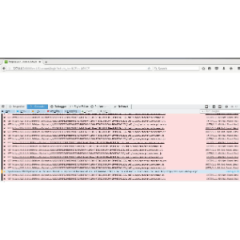
Alt textFresh install of Splunk Enterprise 32bits version 7.0.1 on Linux RedHat Workstation release 6.9 does not shown main page after install, and it reports http/1.1 404 not found on web page resources account.js, common.js, others.
Other Details:
-RMF Installed: splunk-7.0.1-2b5b15c4ee89.i386.rpm
-Host: RedHat Workstation 6.9 Kernel --> 2.6.32.el6.i686
-Installed using root account
-When I start Splunk, it gets all the ports listed, etc as follow:

- Mark as New
- Bookmark Message
- Subscribe to Message
- Mute Message
- Subscribe to RSS Feed
- Permalink
- Report Inappropriate Content
Hi p_gurav,
Originally, right after installing, Splunk User had ownership of the /opt/splunk folder. In troubleshooting, Ichanged ownership to root. Results: The same. It does not work. Changing ownership to root did not fix the isse.
Additionally, I installed version 6.3.12 in another box and it worked fine. It seems to me that there is something wrong with 7.0.1 32 bits.
Any other solutuons to this isse???
Thanks
t
- Mark as New
- Bookmark Message
- Subscribe to Message
- Mute Message
- Subscribe to RSS Feed
- Permalink
- Report Inappropriate Content

Can you check directory access?

Splunk Observability for AI
[Puzzles] Solve, Learn, Repeat: Dereferencing XML to Fixed-length events
Stay Connected: Your Guide to December Tech Talks, Office Hours, and Webinars!
