
Join the Conversation
- Find Answers
- :
- Splunk Administration
- :
- Getting Data In
- :
- tstatsHomePath must remain unset but default index...
- Subscribe to RSS Feed
- Mark Topic as New
- Mark Topic as Read
- Float this Topic for Current User
- Bookmark Topic
- Subscribe to Topic
- Mute Topic
- Printer Friendly Page
- Mark as New
- Bookmark Message
- Subscribe to Message
- Mute Message
- Subscribe to RSS Feed
- Permalink
- Report Inappropriate Content
tstatsHomePath must remain unset but default indexes.conf has the attribute configured.

As per the Smartstore docs, tstatsHomePath must remain unset but I noticed the /default/indexes.conf on 8.1.5 version, the value of tstatsHomePath attribute is already set as shown in screenshot below:
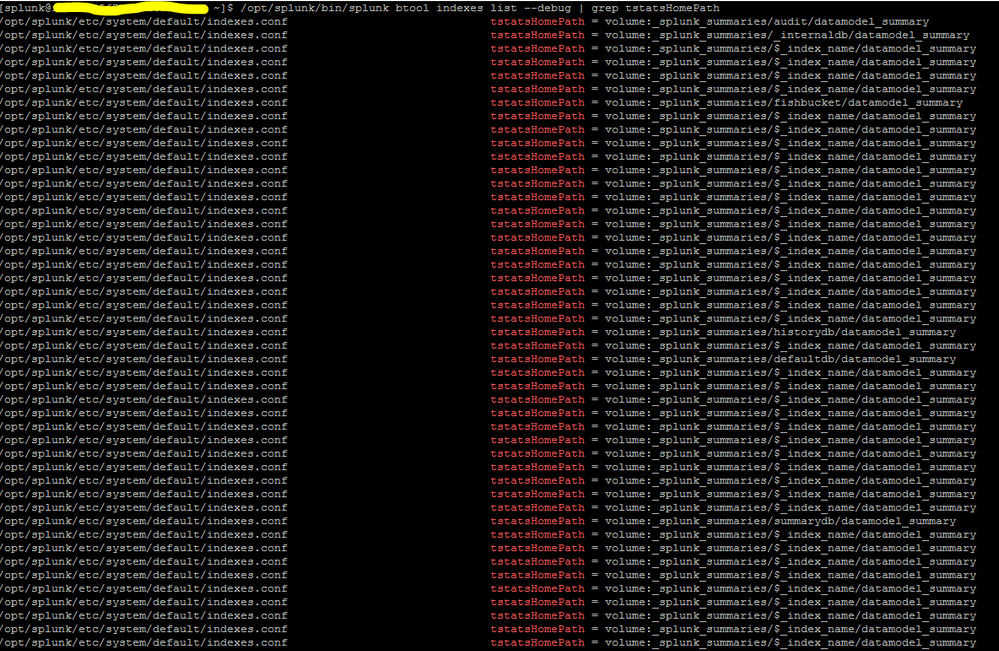
Should I add the following in /local/indexes.conf ?
tstatsHomePath =
- Mark as New
- Bookmark Message
- Subscribe to Message
- Mute Message
- Subscribe to RSS Feed
- Permalink
- Report Inappropriate Content


To be honest this is little bite confusing in docs, after I read this again. I just sent questions about what this really meaning to doc team. Usually they are answering quite soon. Let's see what they are saying.
tstatsHomePath = <string>
* Location where data model acceleration TSIDX data for this index should be stored.
* Required.
* MUST be defined in terms of a volume definition (see volume section below)
* Path must be writable.
* You must not set this setting for remote storage enabled indexes.
* You must restart splunkd after changing this setting for the
  changes to take effect. Reloading the index configuration does
  not suffice.
* Default: volume:_splunk_summaries/$_index_name/datamodel_summary,
  where "$_index_name" is runtime-expanded to the name of the index
Based on Required and You must not set this.... this is confusing.
r. Ismo
- Mark as New
- Bookmark Message
- Subscribe to Message
- Mute Message
- Subscribe to RSS Feed
- Permalink
- Report Inappropriate Content
Yes, and because I left the default settings as it is, all datamodel summary data is getting stored and consuming space in the local drive (/) which does not have sufficient space. I thought after smartstore is configured, all summary data goes to S3

Join the Splunk Community Slack to learn, troubleshoot, and make connections with fellow Splunk practitioners in real time!
Join Splunk User Groups to connect and learn in-person by region or remotely by topic or industry.
[Puzzles] Solve, Learn, Repeat: Matching cron expressions
Design, Compete, Win: Submit Your Best Splunk Dashboards for a .conf26 Pass
May 2026 Splunk Expert Sessions: Security & Observability
