
Join the Conversation
- Find Answers
- :
- Splunk Administration
- :
- Getting Data In
- :
- different results searching json data depending on...
- Subscribe to RSS Feed
- Mark Topic as New
- Mark Topic as Read
- Float this Topic for Current User
- Bookmark Topic
- Subscribe to Topic
- Mute Topic
- Printer Friendly Page
- Mark as New
- Bookmark Message
- Subscribe to Message
- Mute Message
- Subscribe to RSS Feed
- Permalink
- Report Inappropriate Content

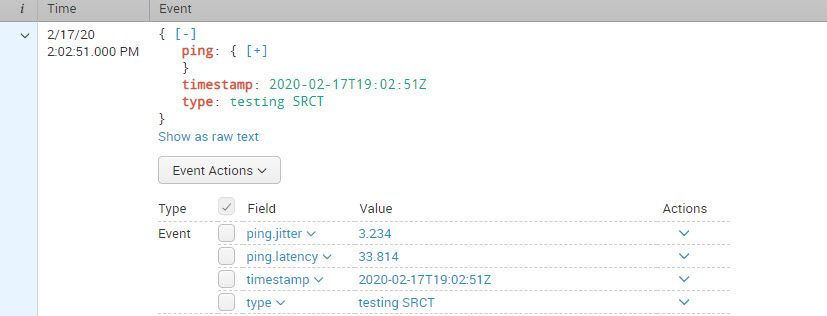
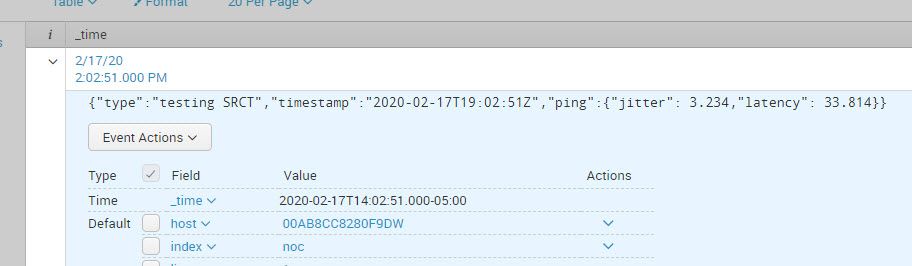
For example, in the search and reporting app, the json data creates an event with fields "ping.jitter" and "ping.latency". However, when I query using a custom app, the event is not created and the fields "ping.jitter" and "ping.latency" are not created nor are they populated with data.
Any ideas why?
- Mark as New
- Bookmark Message
- Subscribe to Message
- Mute Message
- Subscribe to RSS Feed
- Permalink
- Report Inappropriate Content


Hi fdarrigo,
Two possible reasons:
- You run the search in your custom app in fast mode, see https://docs.splunk.com/Documentation/Splunk/latest/Search/Changethesearchmode#Using_the_Fast_mode for more details
- You need to add
KV_MODE = jsonto your sourcetype underSetting - Source typesin your custom app
Hope this helps ...
cheers, MuS
- Mark as New
- Bookmark Message
- Subscribe to Message
- Mute Message
- Subscribe to RSS Feed
- Permalink
- Report Inappropriate Content
MuS- Changing from fast mode to verbose solved the problem
anthonymelita - thanks for the tip. I will keep it in mind.
- Mark as New
- Bookmark Message
- Subscribe to Message
- Mute Message
- Subscribe to RSS Feed
- Permalink
- Report Inappropriate Content
Hi fdarrigo,
Two possible reasons:
- You run the search in your custom app in fast mode, see https://docs.splunk.com/Documentation/Splunk/latest/Search/Changethesearchmode#Using_the_Fast_mode for more details
- You need to add
KV_MODE = jsonto your sourcetype underSetting - Source typesin your custom app
Hope this helps ...
cheers, MuS
- Mark as New
- Bookmark Message
- Subscribe to Message
- Mute Message
- Subscribe to RSS Feed
- Permalink
- Report Inappropriate Content

In my experience Splunk attempts to auto-extract json objects to fields and frequently fails. Try adding an |spath command as your first pipe after basic search criteria like index, source, etc...
- Mark as New
- Bookmark Message
- Subscribe to Message
- Mute Message
- Subscribe to RSS Feed
- Permalink
- Report Inappropriate Content
Thanks. I will keep it in mind.




Join the Splunk Community Slack to learn, troubleshoot, and make connections with fellow Splunk practitioners in real time!
Join Splunk User Groups to connect and learn in-person by region or remotely by topic or industry.
Meet Splunk Observability Studio: AI-Assisted OpenTelemetry Instrumentation Without ...
Federated Search for Cisco Security and Analytics Logging (SAL) is now GA on Splunk ...
Your Path to AgenticOps: AI Experiences for Every Splunk Practitioner
