
Join the Conversation
- Find Answers
- :
- Splunk Administration
- :
- Getting Data In
- :
- Re: How can I compare what host am i missing?
- Subscribe to RSS Feed
- Mark Topic as New
- Mark Topic as Read
- Float this Topic for Current User
- Bookmark Topic
- Subscribe to Topic
- Mute Topic
- Printer Friendly Page
- Mark as New
- Bookmark Message
- Subscribe to Message
- Mute Message
- Subscribe to RSS Feed
- Permalink
- Report Inappropriate Content
How can I compare what host am i missing?
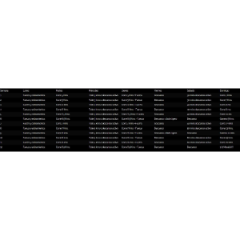
I have an input lookup called servers.csv (header is called host)
that lookup has all the servers that should be reporting into my sourcetype called: index=main sourcetype=servers
i see the host using: index=main sourcetype=servers host=server1
I need to have a report of what hosts from that CSV are not reporting into my sourcetype.
thank you very much for helping me.
- Mark as New
- Bookmark Message
- Subscribe to Message
- Mute Message
- Subscribe to RSS Feed
- Permalink
- Report Inappropriate Content

Try this. This will give list of hosts from your lookup which do not have any event in index=main sourcetype=servers for your selected time range of the query.
| tstats count WHERE index=main sourcetype=servers by host | eval isReporting=1
| append [| inputlookup servers.csv | table host | eval isReporting=0]
| stats max(isReporting) as isReporting by host | where isReporting=0
- Mark as New
- Bookmark Message
- Subscribe to Message
- Mute Message
- Subscribe to RSS Feed
- Permalink
- Report Inappropriate Content
Hello
First of all thank you very much for your reply.
i got 0 results :(, i copied and pasted but got no results.
- Mark as New
- Bookmark Message
- Subscribe to Message
- Mute Message
- Subscribe to RSS Feed
- Permalink
- Report Inappropriate Content
Do you get results when you run this?
| tstats count WHERE index=main sourcetype=servers by host | eval isReporting=1
- Mark as New
- Bookmark Message
- Subscribe to Message
- Mute Message
- Subscribe to RSS Feed
- Permalink
- Report Inappropriate Content
Yes! first and second line give me results, when i do thrid line i got 0 no events.
thank you very much!
- Mark as New
- Bookmark Message
- Subscribe to Message
- Mute Message
- Subscribe to RSS Feed
- Permalink
- Report Inappropriate Content
Try running everything except the | where... part. It should return results. Then see in the results if you see any row with field isReporting as 0. If they're all 1 means all the servers are reporting. Also, what time range you're using for your search?

Join the Splunk Community Slack to learn, troubleshoot, and make connections with fellow Splunk practitioners in real time!
Join Splunk User Groups to connect and learn in-person by region or remotely by topic or industry.
Make Your Machine Data AI-Ready in Splunk
Splunk Asynchronous Forwarding Explained
How to Monitor AI Agents with Splunk Agent Observability
