
Join the Conversation
- Find Answers
- :
- Splunk Administration
- :
- Getting Data In
- :
- HF - How to fix HeavyForwarder slow to show in SH?
- Subscribe to RSS Feed
- Mark Topic as New
- Mark Topic as Read
- Float this Topic for Current User
- Bookmark Topic
- Subscribe to Topic
- Mute Topic
- Printer Friendly Page
- Mark as New
- Bookmark Message
- Subscribe to Message
- Mute Message
- Subscribe to RSS Feed
- Permalink
- Report Inappropriate Content
HF - How to fix HeavyForwarder slow to show in SH?

Hello Everybody!
First thanks for your time to help me.
I have a cluster environment, with:
- 3 - Sh's
- 231
- 232
- 233
- 4 - Hf's
- 223
- This HF is an old server that was used in the environment when it was not yet clustered, this HF is the core, reciving all data [UF's,DB Connect,Scripts etc] we keep it because we have some Windows Server 2003 with UF's installed that need to report the data and for that we need an HF with an older version
- 238 ( This is the HF with problem )
- 239
- 244
- 223
- 3 - IDX
- 234
- 235
- 236
Perfect, our cluster environment is new, so all HF's (238,239,244) is a blank installation, today I'm transferring all running Scripts on 223 to 238, but I'm with a problem, I have some scripts running to get data and transfer to 238 thorught HTTPEventCollector, these scripts are also running on 238.
The problem is:
- I run the script, I don't get any error, I can see in the logs that the HTTPColector received the event, but when I do a search in the SH's I can't see the data, only after a time like 5-10 minutes after sending the data they appear in the SH, with the exact _time when the script was run.
This problem is only with 238.
239 244 and 223 work very well.
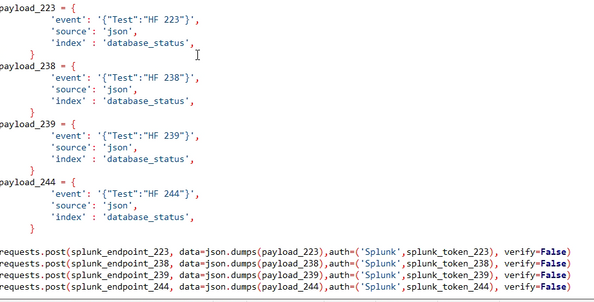
I did a simple script to send data for all HF's in the same time:
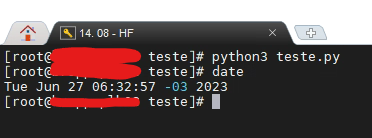
Executing the script:
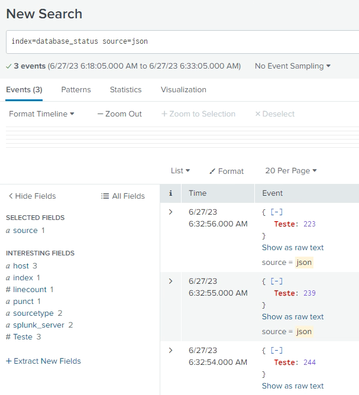
Events on SH (does not show event sent to 238)
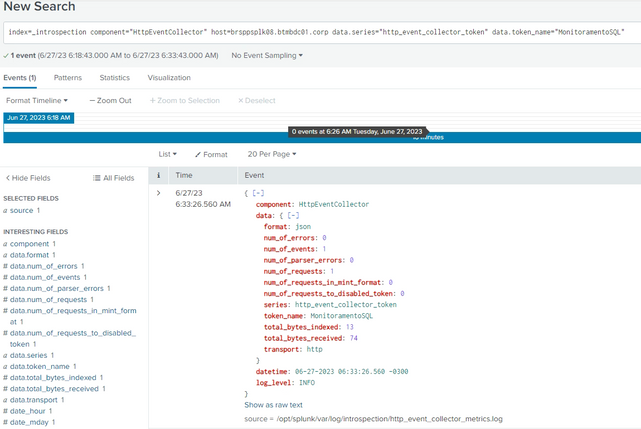
Confirmation on 238 HF that received the data
After 5-10 minutes:
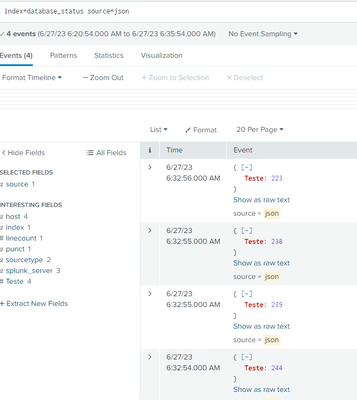
The test data sending to 238 is now showing, but with 5-10 miuntes later.
What possible solutions I have already tried:
- Restart Splunk and the server
- Create a new token
- Executing the script on other server like 239 244 223
- Look for some log in the indexers or HF
I'm really starting to run out of ideas for how to solve this problem, does anyone have any ideas?
Thanks in advance!
- Mark as New
- Bookmark Message
- Subscribe to Message
- Mute Message
- Subscribe to RSS Feed
- Permalink
- Report Inappropriate Content

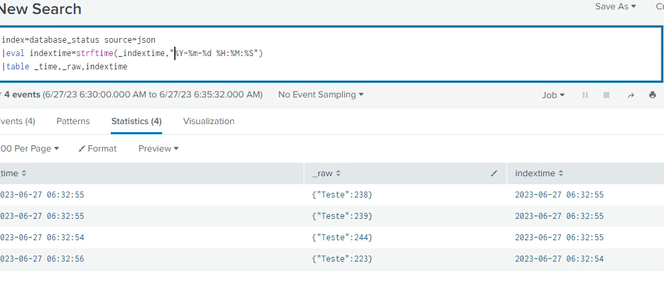
First table out with _time and _indextime and convert to human readable. We can narrow down if the indexer receives but slow to show or the HF is delayed in relaying the event. Compare your active btool outputs.conf as well for any anomalies.
- Mark as New
- Bookmark Message
- Subscribe to Message
- Mute Message
- Subscribe to RSS Feed
- Permalink
- Report Inappropriate Content
Hi @dural_yyz thanks for your time!
_time is basically the same time as indextime in all HF's
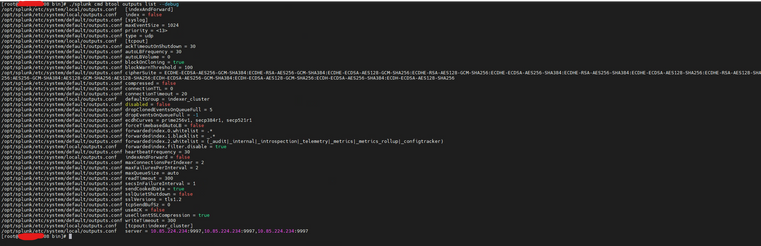
Using btool in outputs to compare:
238:
239 using in example:
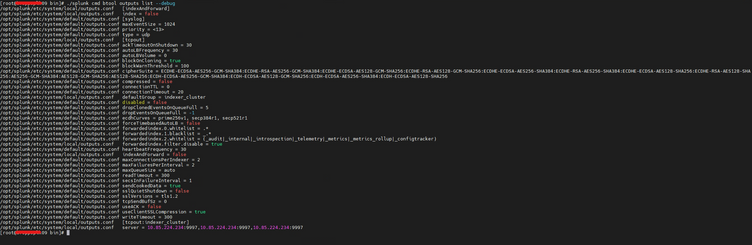
All outputs is the same.
Once again thank you very much for your time!

Join the Splunk Community Slack to learn, troubleshoot, and make connections with fellow Splunk practitioners in real time!
Join Splunk User Groups to connect and learn in-person by region or remotely by topic or industry.
Design, Compete, Win: Submit Your Best Splunk Dashboards for a .conf26 Pass
May 2026 Splunk Expert Sessions: Security & Observability
Network to App: Observability Unlocked [May & June Series]
