
Join the Conversation
- Find Answers
- :
- Using Splunk
- :
- Dashboards & Visualizations
- :
- Re: Where is my App Navigation Bar Color in Splunk...
- Subscribe to RSS Feed
- Mark Topic as New
- Mark Topic as Read
- Float this Topic for Current User
- Bookmark Topic
- Subscribe to Topic
- Mute Topic
- Printer Friendly Page
- Mark as New
- Bookmark Message
- Subscribe to Message
- Mute Message
- Subscribe to RSS Feed
- Permalink
- Report Inappropriate Content

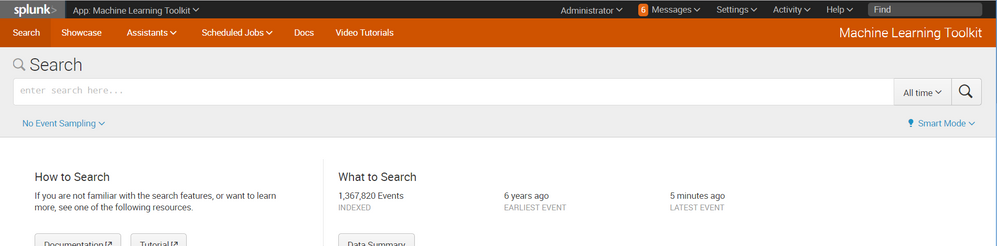
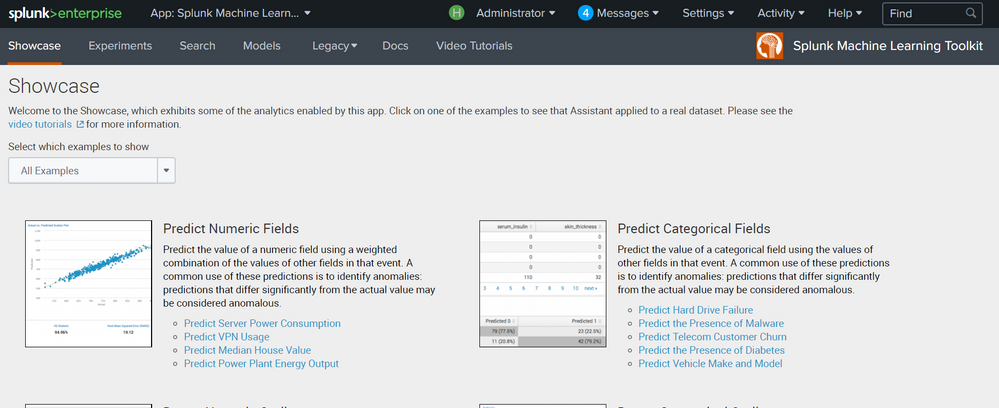
After upgrading to 7.1 i noticed that the color set in default.xml does not apply and the color of the App navigation bar is always the same Splunky greyish color, see screenshots of before and after below.
any idea how to fix?
thanks in advance!
- Mark as New
- Bookmark Message
- Subscribe to Message
- Mute Message
- Subscribe to RSS Feed
- Permalink
- Report Inappropriate Content

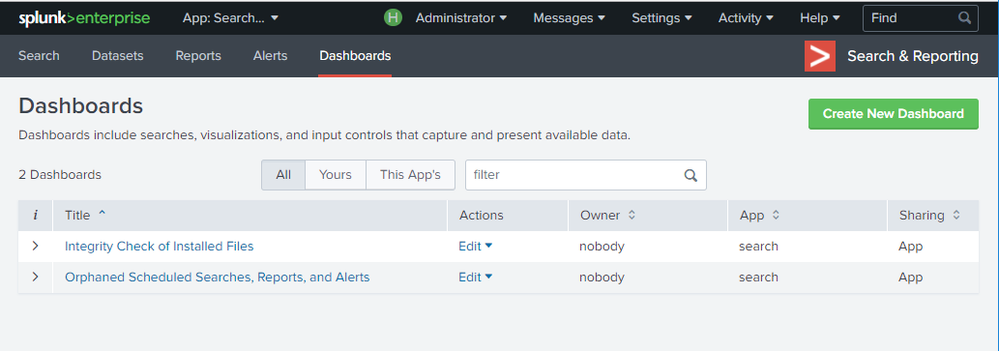
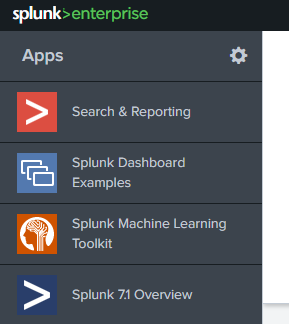
@adonio it is an expected behavior of Splunk 7.1 to only apply color to App Icon and Selected Splunk App Menu/Menu Item. Even to the App Icon in the Splunk App Launcher Home page. Refer to attached screenshot where Red color is applied to App Icon using Navigation xml with color option <nav search_view="search" color="#DC4E41">
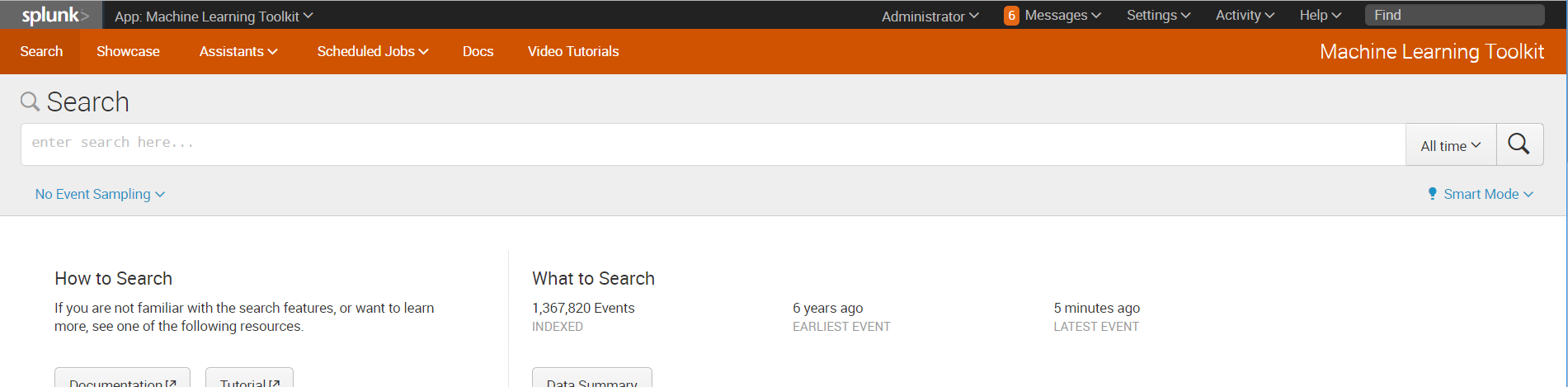

If you really want your the App's Bar to be colored you can do this for Dashboards using Simple XML CSS override as suggested by @alacercogitatus, https://answers.splunk.com/answers/645402/background-color-in-navbar-is-gone-in-71.html
| makeresults | eval message= "Happy Splunking!!!"


- Mark as New
- Bookmark Message
- Subscribe to Message
- Mute Message
- Subscribe to RSS Feed
- Permalink
- Report Inappropriate Content

Same as I asked for here:
https://answers.splunk.com/answers/645402/background-color-in-navbar-is-gone-in-71.html
Not sure if I am very happy with this change.
- Mark as New
- Bookmark Message
- Subscribe to Message
- Mute Message
- Subscribe to RSS Feed
- Permalink
- Report Inappropriate Content
yes @lakromani
didnt see your question, i an sharing the same feelings
- Mark as New
- Bookmark Message
- Subscribe to Message
- Mute Message
- Subscribe to RSS Feed
- Permalink
- Report Inappropriate Content
You can change the color of this on all custom dashboards in an app by adding the following to the app's appserver/static/dashboard.css file:
.splunk-header.splunk-view.splunk-header.splunk-view > div[data-view="views/shared/appbar/Master"] {
    background-color: #742255;
}
- Mark as New
- Bookmark Message
- Subscribe to Message
- Mute Message
- Subscribe to RSS Feed
- Permalink
- Report Inappropriate Content
How about the font color ?
- Mark as New
- Bookmark Message
- Subscribe to Message
- Mute Message
- Subscribe to RSS Feed
- Permalink
- Report Inappropriate Content
thank you @spayneort! i will give it a shot
- Mark as New
- Bookmark Message
- Subscribe to Message
- Mute Message
- Subscribe to RSS Feed
- Permalink
- Report Inappropriate Content
@adonio it is an expected behavior of Splunk 7.1 to only apply color to App Icon and Selected Splunk App Menu/Menu Item. Even to the App Icon in the Splunk App Launcher Home page. Refer to attached screenshot where Red color is applied to App Icon using Navigation xml with color option <nav search_view="search" color="#DC4E41">
If you really want your the App's Bar to be colored you can do this for Dashboards using Simple XML CSS override as suggested by @alacercogitatus, https://answers.splunk.com/answers/645402/background-color-in-navbar-is-gone-in-71.html
| makeresults | eval message= "Happy Splunking!!!"
- Mark as New
- Bookmark Message
- Subscribe to Message
- Mute Message
- Subscribe to RSS Feed
- Permalink
- Report Inappropriate Content
@niketnilay, thank you!
and thanks for the link, i accept the answer and will adjust my eyes slowly to the new interface
- Mark as New
- Bookmark Message
- Subscribe to Message
- Mute Message
- Subscribe to RSS Feed
- Permalink
- Report Inappropriate Content
@adonio, even I am trying to adjust the same 🙂 I feel this is a good change giving Splunk environment a consistent look where Splunk Apps can be easily distinguished using Icon Color.
| makeresults | eval message= "Happy Splunking!!!"

Join the Splunk Community Slack to learn, troubleshoot, and make connections with fellow Splunk practitioners in real time!
Join Splunk User Groups to connect and learn in-person by region or remotely by topic or industry.
[Puzzles] Solve, Learn, Repeat: Matching cron expressions
Design, Compete, Win: Submit Your Best Splunk Dashboards for a .conf26 Pass
May 2026 Splunk Expert Sessions: Security & Observability
