
Join the Conversation
- Find Answers
- :
- Using Splunk
- :
- Dashboards & Visualizations
- :
- Need help: Stack 2 panels left, and have 1 panel o...
- Subscribe to RSS Feed
- Mark Topic as New
- Mark Topic as Read
- Float this Topic for Current User
- Bookmark Topic
- Subscribe to Topic
- Mute Topic
- Printer Friendly Page
- Mark as New
- Bookmark Message
- Subscribe to Message
- Mute Message
- Subscribe to RSS Feed
- Permalink
- Report Inappropriate Content
Need help: Stack 2 panels left, and have 1 panel on the right.

Dear Community, I need help with the creation of a dashboard where:
- I have 1 row
- I have 3 panels
- I want 2 panels stacked on top of each other on the left
- I want 1 panel in full height on the right
I have searched different topics on the community but most of those only provide results without context and when I don't get them to work, I don't know what to do. This is what I managed to create so far:
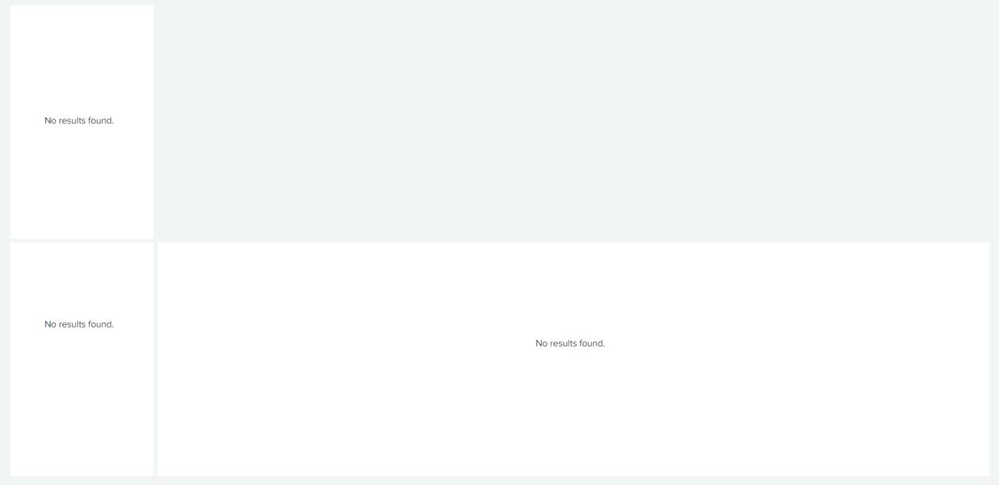
Using the following sourcecode:
<dashboard>
  <label>Stack 2 left, 1 right</label>
  <row>
    <panel id="topleft">
      <title></title>
      <html>
        <style>
          #topleft{
            width:15% !important;
            float: left;
          }

          #bottomleft{
            width:15% !important;
            clear: left;
            float: left;
          }

          #right{
            width:85% !important;
            overflow: hidden;
          }
        </style>
      </html>
      <table>
        <search>
          <query>SomeQueryThatReturnsNothing</query>
          <earliest>-15m</earliest>
          <latest>now</latest>
        </search>
        <option name="drilldown">cell</option>
        <option name="refresh.display">progressbar</option>
      </table>
    </panel>
    <panel id="bottomleft">
      <title></title>
      <chart>
        <search>
          <query>SomeQueryThatReturnsNothing</query>
          <earliest>-15m</earliest>
          <latest>now</latest>
        </search>
        <option name="refresh.display">progressbar</option>
      </chart>
    </panel>
    <panel id="right">
      <title></title>
      <table>
        <search>
          <query>SomeQueryThatReturnsNothing</query>
          <earliest>-15m</earliest>
          <latest>now</latest>
        </search>
        <option name="drilldown">cell</option>
        <option name="refresh.display">progressbar</option>
      </table>
    </panel>
  </row>
</dashboard>
What I would like to achieve is:
- The panel with id="right" to be full height so that I have 2 small panels stacked on each other on the left and one big panel on the right that fully populates the screen
I have tried playing with height but it doesn't seem to affect the panel in any way.
Could anyone help me out with this issue?
Thanks in advance.
- Mark as New
- Bookmark Message
- Subscribe to Message
- Mute Message
- Subscribe to RSS Feed
- Permalink
- Report Inappropriate Content
@Bleepie I had the same question and found the answer to this in another post. You might want to check this out if you haven't solved for this already.
- Mark as New
- Bookmark Message
- Subscribe to Message
- Mute Message
- Subscribe to RSS Feed
- Permalink
- Report Inappropriate Content


What you are trying to do is not possible with Simple XML. The new dashboard framework allows for a more flexible layout, but may not have the other features your dashboard needs (yet).
If this reply helps you, Karma would be appreciated.
- Mark as New
- Bookmark Message
- Subscribe to Message
- Mute Message
- Subscribe to RSS Feed
- Permalink
- Report Inappropriate Content
Thanks for your reply. I'll check it out!

Splunk Search APIを使えば調査過程が残せます
Integrating Splunk Search API and Quarto to Create Reproducible Investigation ...
Congratulations to the 2025-2026 SplunkTrust!
