
Join the Conversation
- Find Answers
- :
- Using Splunk
- :
- Dashboards & Visualizations
- :
- Re: [Chart Overlay /Y axis] Is it possible to chan...
- Subscribe to RSS Feed
- Mark Topic as New
- Mark Topic as Read
- Float this Topic for Current User
- Bookmark Topic
- Subscribe to Topic
- Mute Topic
- Printer Friendly Page
- Mark as New
- Bookmark Message
- Subscribe to Message
- Mute Message
- Subscribe to RSS Feed
- Permalink
- Report Inappropriate Content
[Chart Overlay /Y axis] Is it possible to change both the Y-axis values starting with zero even if has negative values

Hi all,
i have an issue where the left Y axis and the right Y axis (used in chart overlay) of the graph both axis number should work dynamically.
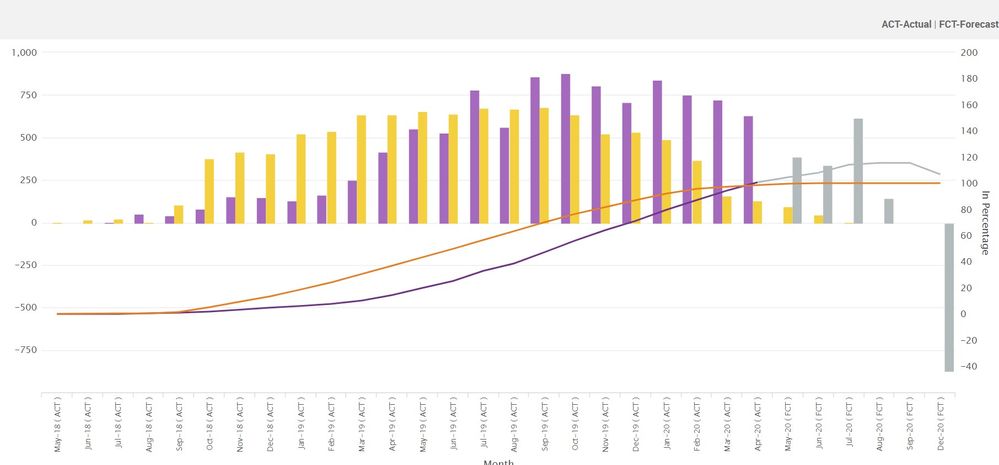
Currently i am having issue where the left Y axis start with zero and second Y axis which is (% percentage) values sholuld also start at the same position of left y axis irrespective the X axis has negative values. I have tried setting the interval in the chart overlay and y axis but if make it static for other details it differs Image as below
is there some way that both axis start at same position irrespective of negative values any dynamic token or something
any guidance would help
- Mark as New
- Bookmark Message
- Subscribe to Message
- Mute Message
- Subscribe to RSS Feed
- Permalink
- Report Inappropriate Content
- Mark as New
- Bookmark Message
- Subscribe to Message
- Mute Message
- Subscribe to RSS Feed
- Permalink
- Report Inappropriate Content
@matiyayan1996
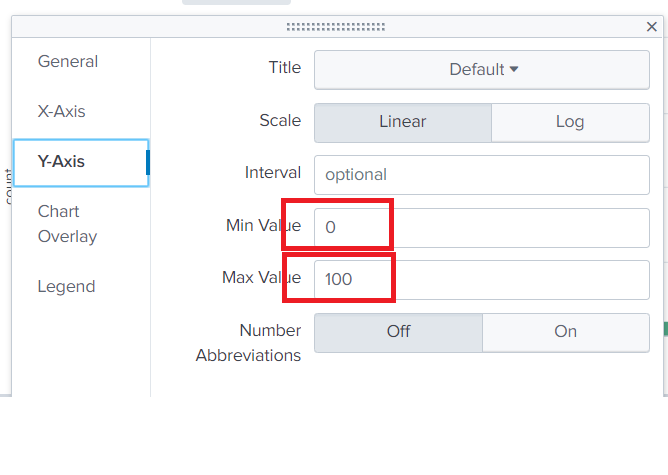
No Sir, i have tried this both axis should not be the static
it should be dynamic bt then both axis 0 should be at the same place.
- Mark as New
- Bookmark Message
- Subscribe to Message
- Mute Message
- Subscribe to RSS Feed
- Permalink
- Report Inappropriate Content


- Mark as New
- Bookmark Message
- Subscribe to Message
- Mute Message
- Subscribe to RSS Feed
- Permalink
- Report Inappropriate Content
@maityayan1996
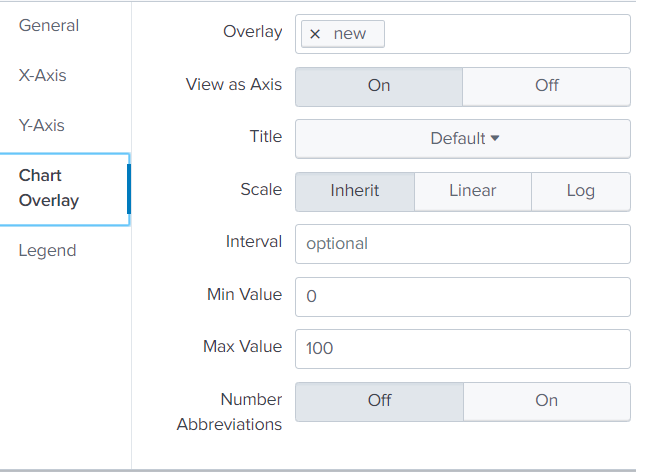
Thanks for the reply, i have tried this option but i want to show case even with the negative values.
hence the axis at both side should be the same level ( zero at the same level)
- Mark as New
- Bookmark Message
- Subscribe to Message
- Mute Message
- Subscribe to RSS Feed
- Permalink
- Report Inappropriate Content
@woodcock
@niketnilay
Sir any help on this

Accelerating Observability as Code with the Splunk AI Assistant
Integrating Splunk Search API and Quarto to Create Reproducible Investigation ...
Congratulations to the 2025-2026 SplunkTrust!
