
Join the Conversation
- Find Answers
- :
- Using Splunk
- :
- Dashboards & Visualizations
- :
- Re: Change Column Chart Width to Fit Trellis Side ...
- Subscribe to RSS Feed
- Mark Topic as New
- Mark Topic as Read
- Float this Topic for Current User
- Bookmark Topic
- Subscribe to Topic
- Mute Topic
- Printer Friendly Page
- Mark as New
- Bookmark Message
- Subscribe to Message
- Mute Message
- Subscribe to RSS Feed
- Permalink
- Report Inappropriate Content
Change Column Chart Width to Fit Trellis Side by Side

Hi,
Is there a way to change the width of column charts? I have 4 trellis column charts that are currently displayed vertically. What i'd like to do is to display two of them side by side.
What i have:
What i would like to have:
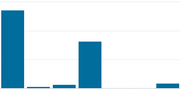
Thank you very much in advance.
- Mark as New
- Bookmark Message
- Subscribe to Message
- Mute Message
- Subscribe to RSS Feed
- Permalink
- Report Inappropriate Content


- Mark as New
- Bookmark Message
- Subscribe to Message
- Mute Message
- Subscribe to RSS Feed
- Permalink
- Report Inappropriate Content
Hi,
here is XML for the panel with 4 trellis charts:
  <row>
    <panel>
      <title>Categories </title>
      <chart>
        <search>
          <query>my query</query>
          <earliest>-24h@h</earliest>
          <latest>now</latest>
        </search>
        <option name="charting.axisLabelsX.majorLabelStyle.rotation">-45</option>
        <option name="charting.axisY.scale">linear</option>
        <option name="charting.axisY2.enabled">1</option>
        <option name="charting.axisY2.scale">inherit</option>
        <option name="charting.chart">column</option>
        <option name="charting.chart.showDataLabels">all</option>
        <option name="charting.chart.stackMode">stacked</option>
        <option name="charting.chart.style">shiny</option>
        <option name="charting.drilldown">none</option>
        <option name="refresh.display">progressbar</option>
        <option name="trellis.enabled">1</option>
        <option name="trellis.size">large</option>
        <option name="trellis.splitBy">unitofbusiness</option>
      </chart>
    </panel>
  </row>
Thank you!
- Mark as New
- Bookmark Message
- Subscribe to Message
- Mute Message
- Subscribe to RSS Feed
- Permalink
- Report Inappropriate Content
Can you please try this?
<row>
    <panel>
      <title>Categories</title>
      <chart>
        <search>
          <query>index=_internal | timechart span=10m useother=f count by sourcetype where max in top4</query>
          <earliest>-60m@m</earliest>
          <latest>now</latest>
        </search>
        <option name="charting.axisLabelsX.majorLabelStyle.rotation">-45</option>
        <option name="charting.axisTitleX.visibility">collapsed</option>
        <option name="charting.axisTitleY.visibility">collapsed</option>
        <option name="charting.axisTitleY2.visibility">collapsed</option>
        <option name="charting.axisY.scale">linear</option>
        <option name="charting.axisY2.enabled">1</option>
        <option name="charting.axisY2.scale">inherit</option>
        <option name="charting.chart">column</option>
        <option name="charting.chart.showDataLabels">all</option>
        <option name="charting.chart.stackMode">stacked</option>
        <option name="charting.chart.style">shiny</option>
        <option name="charting.drilldown">none</option>
        <option name="charting.legend.placement">none</option>
        <option name="refresh.display">progressbar</option>
        <option name="trellis.enabled">1</option>
        <option name="trellis.scales.shared">0</option>
        <option name="trellis.size">medium</option>
        <option name="trellis.splitBy">unitofbusiness</option>
      </chart>
    </panel>
  </row>
Thanks
KV
▄︻̷̿┻̿═━一
If any of my reply helps you to solve the problem Or gain knowledge, an upvote would be appreciated.
- Mark as New
- Bookmark Message
- Subscribe to Message
- Mute Message
- Subscribe to RSS Feed
- Permalink
- Report Inappropriate Content
Found the solution provided by @niketn
      <html depends="$alwaysHideCSSForTrellis$">
        <style>
          .facets-container .viz-facet {
              height: 500px !important;
              width: 850px !important;
              float: left;
              padding: 35px 15px 30px 50px;
          }
        </style>
</html>- Mark as New
- Bookmark Message
- Subscribe to Message
- Mute Message
- Subscribe to RSS Feed
- Permalink
- Report Inappropriate Content
I see you changed the size of trellis. It does solve the issue, but that would be too small. Is there a change in XML that corrects the width of the panel to fit two charts side by side?
I don't believe anything should change in the query

Join the Splunk Community Slack to learn, troubleshoot, and make connections with fellow Splunk practitioners in real time!
Join Splunk User Groups to connect and learn in-person by region or remotely by topic or industry.
[Puzzles] Solve, Learn, Repeat: Character substitutions with Regular Expressions
Splunk Community Badges!
[Puzzles] Solve, Learn, Repeat: Matching cron expressions
