
Turn on suggestions
Auto-suggest helps you quickly narrow down your search results by suggesting possible matches as you type.
All Apps and Add-ons
×
Join the Conversation
Without signing in, you're just watching from the sidelines. Sign in or Register to connect, share, and be part of the Splunk Community.
- Find Answers
- :
- Apps & Add-ons
- :
- All Apps and Add-ons
- :
- All Apps and Add-ons
- :
- Re: 'add server' button disabled
Options
- Subscribe to RSS Feed
- Mark Topic as New
- Mark Topic as Read
- Float this Topic for Current User
- Bookmark Topic
- Subscribe to Topic
- Mute Topic
- Printer Friendly Page
- Mark as New
- Bookmark Message
- Subscribe to Message
- Mute Message
- Subscribe to RSS Feed
- Permalink
- Report Inappropriate Content
'add server' button disabled

raisomain
Explorer
10-02-2019
01:01 AM
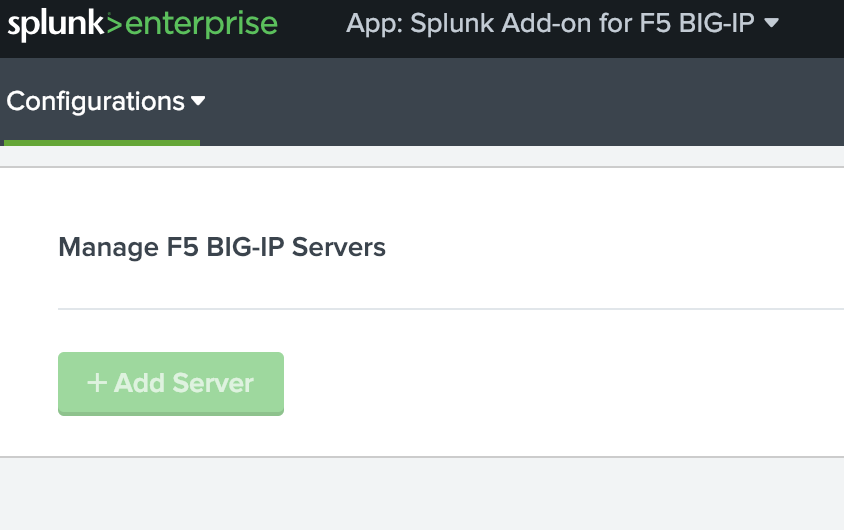
Some silly question...anyone knows why 'add server' button could be disabled?
I could use it before, but now can not, ask around on my team & nobody seems making changes.
- Mark as New
- Bookmark Message
- Subscribe to Message
- Mute Message
- Subscribe to RSS Feed
- Permalink
- Report Inappropriate Content

PavelP
Motivator
05-05-2020
01:00 AM
Hello @raisomain ,
it could be a sync problem, splunk cannot connect to the previosly configured f5 server(s) and waits until sync done:
# manage_servers.js:
    // enable #addServerBtn until servers is ready?
    servers.on("sync", function() {
        $("#addServerBtn").removeAttr("disabled");
    });
can you see anything in $SPLUNK_HOME/var/log/splunk/*.log ?
Edit: actually I think my assumption was wrong, scratch that
- Mark as New
- Bookmark Message
- Subscribe to Message
- Mute Message
- Subscribe to RSS Feed
- Permalink
- Report Inappropriate Content

tauliang
Communicator
05-04-2020
08:16 PM
I don't have any issue with my setup.
Server: Splunk Enterprise 8.0, Splunk Add-on for F5 BIG-IP 3.1.0 running on Mac OSX 10.15.4.

Client: Google Chrome Version 81.0.4044.129 (Official Build) (64-bit)
What is the error you see in your browser's developer tool (under Chrome, it is under More Tools-->Developer Tools) console?

- Mark as New
- Bookmark Message
- Subscribe to Message
- Mute Message
- Subscribe to RSS Feed
- Permalink
- Report Inappropriate Content
ifeldshteyn
Communicator
05-04-2020
03:21 PM
Did you ever figure this out?




Got questions? Get answers!
Join the Splunk Community Slack to learn, troubleshoot, and make connections with fellow Splunk practitioners in real time!
Meet up IRL or virtually!
Join Splunk User Groups to connect and learn in-person by region or remotely by topic or industry.
Get Updates on the Splunk Community!
Meet Splunk Observability Studio: AI-Assisted OpenTelemetry Instrumentation Without ...
Instrumentation is usually the last step or even an afterthought when building out a project. The feature ...
Federated Search for Cisco Security and Analytics Logging (SAL) is now GA on Splunk ...
Federated Search for Cisco Security Analytics and Logging (SAL) is now generally available as part of the ...
Your Path to AgenticOps: AI Experiences for Every Splunk Practitioner
Your Path to AgenticOps: AI Experiences for Every Splunk Practitioner
Join us for a demo-driven look at how ...
