
Join the Conversation
- Find Answers
- :
- Apps & Add-ons
- :
- All Apps and Add-ons
- :
- All Apps and Add-ons
- :
- Re: Tenable Add-on Configuration
- Subscribe to RSS Feed
- Mark Topic as New
- Mark Topic as Read
- Float this Topic for Current User
- Bookmark Topic
- Subscribe to Topic
- Mute Topic
- Printer Friendly Page
- Mark as New
- Bookmark Message
- Subscribe to Message
- Mute Message
- Subscribe to RSS Feed
- Permalink
- Report Inappropriate Content
Tenable Add-on Configuration

Hello,
I have the following questions which not found in the documentation:
1. Any firewall rules to be open between SC and Splunk Heavy Forwarder?
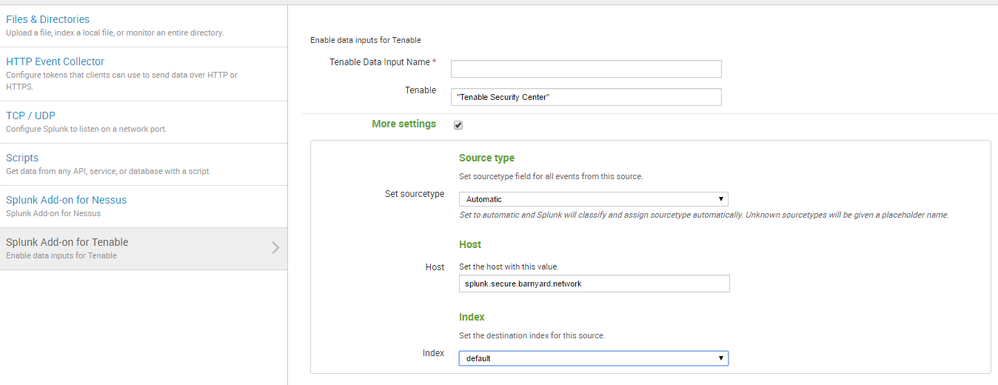
2. Any indexes to be created at the indexers? If yes, what are the steps to create the indexes at my 2 indexers (they are non-clustered).
Any advice is appreciated.
Cheers
- Mark as New
- Bookmark Message
- Subscribe to Message
- Mute Message
- Subscribe to RSS Feed
- Permalink
- Report Inappropriate Content




- Mark as New
- Bookmark Message
- Subscribe to Message
- Mute Message
- Subscribe to RSS Feed
- Permalink
- Report Inappropriate Content
The queries to SC should be done via REST, either HTTP(TCP:80) or HTTPS(TCP:443)
Indexes will be needed to be created. You can expedite this process by installing the add-on to your Indexers or creating a Search Head bundle and deploying it as such to your Indexers.
http://docs.splunk.com/Documentation/Splunk/6.5.0/Indexer/Updatepeerconfigurations
- Mark as New
- Bookmark Message
- Subscribe to Message
- Mute Message
- Subscribe to RSS Feed
- Permalink
- Report Inappropriate Content
Hi,
For item number 2, are you referring to following steps:
To install an add-on to an indexer:
1. Download the add-on from Splunkbase, then unpack the .tgz package.
2. Place the resulting Splunk_TA_ folder in the $SPLUNK_HOME/etc/apps directory on your indexer.
3. Restart the indexer.
Have you performed this? What would be the name of the default indexes created?
Thanks

Join the Splunk Community Slack to learn, troubleshoot, and make connections with fellow Splunk practitioners in real time!
Join Splunk User Groups to connect and learn in-person by region or remotely by topic or industry.
Your Path to AgenticOps: AI Experiences for Every Splunk Practitioner
The Data Connection - October 2026
Beyond the Acceleration Zone: Maximizing Your Success with Splunk Customer Experience ...
