
Join the Conversation
- Find Answers
- :
- Apps & Add-ons
- :
- All Apps and Add-ons
- :
- Horizon Chart - How can I change the axis based on...
- Subscribe to RSS Feed
- Mark Topic as New
- Mark Topic as Read
- Float this Topic for Current User
- Bookmark Topic
- Subscribe to Topic
- Mute Topic
- Printer Friendly Page
- Mark as New
- Bookmark Message
- Subscribe to Message
- Mute Message
- Subscribe to RSS Feed
- Permalink
- Report Inappropriate Content

Recently I observed that the axis in Horizon Chart is not following the timezone setting by the user. Please refer to the images below,
The user with timezone setting as GMT+0800
The user with timezone setting as GMT
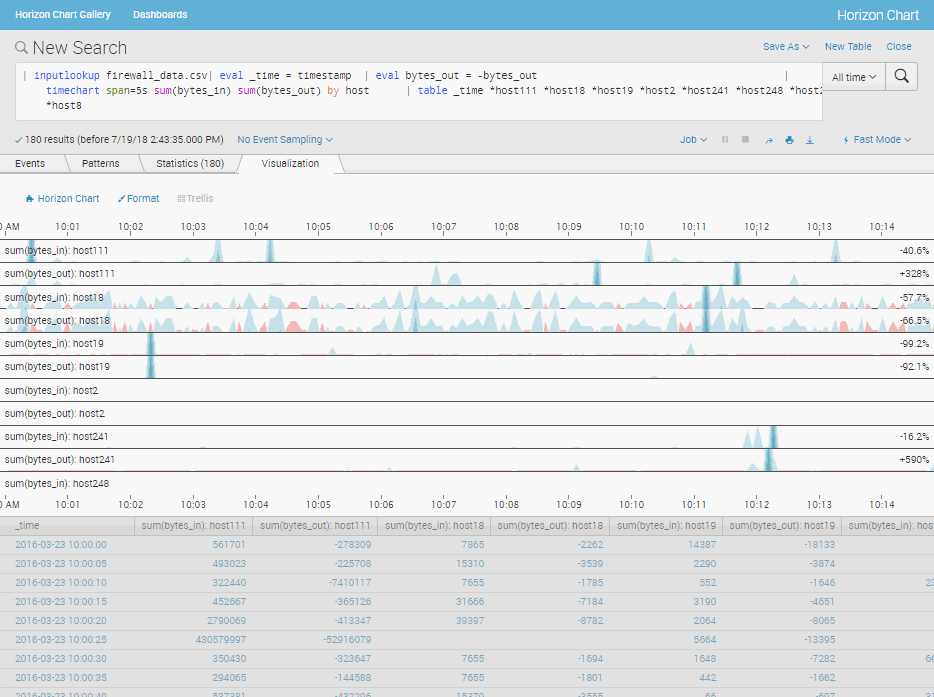
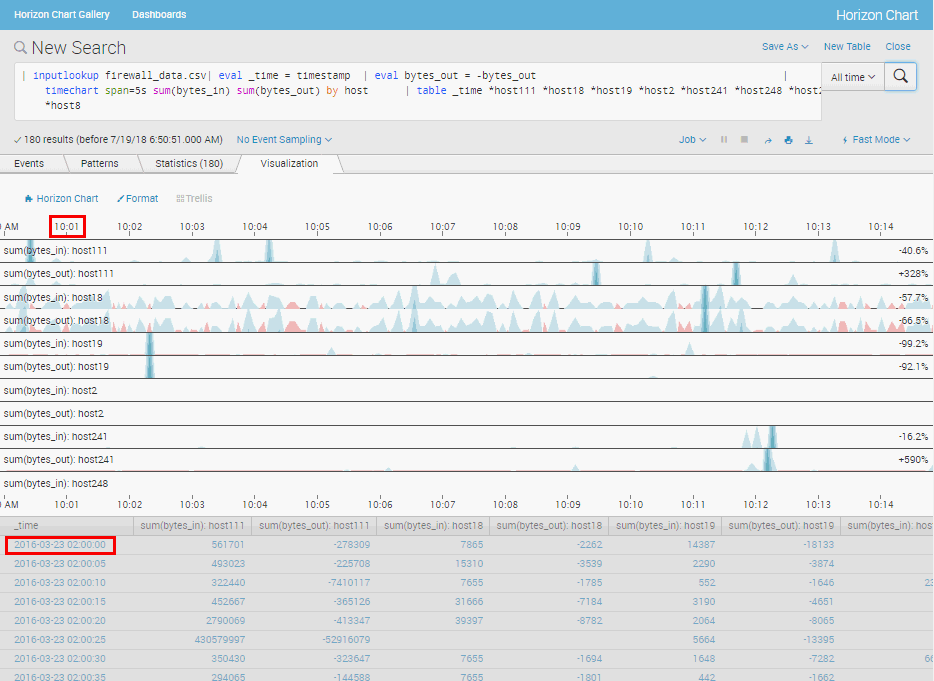
Do I have any method that I can apply the timezone configured by the user in Splunk on the axis?


- Mark as New
- Bookmark Message
- Subscribe to Message
- Mute Message
- Subscribe to RSS Feed
- Permalink
- Report Inappropriate Content

| makeresults count=2
| streamstats count
| eval _time = if (count==2,relative_time(_time,"-24h@m"), relative_time(_time,"@m"))
| makecontinuous span=30m
| eval col1=random() % 20, col2=random() % 20, col3=random() % 20
| fieldformat _time = strftime(_time,"%c %:::z")
| table _time col*
| eval COMMENT AS "this is sample data"
It runs in local time
In the worst case, add the following command:
| eval _time = relative_time (_time, "The timezone offset from UTC")
- Mark as New
- Bookmark Message
- Subscribe to Message
- Mute Message
- Subscribe to RSS Feed
- Permalink
- Report Inappropriate Content
| makeresults count=2
| streamstats count
| eval _time = if (count==2,relative_time(_time,"-24h@m"), relative_time(_time,"@m"))
| makecontinuous span=30m
| eval col1=random() % 20, col2=random() % 20, col3=random() % 20
| fieldformat _time = strftime(_time,"%c %:::z")
| table _time col*
| eval COMMENT AS "this is sample data"
It runs in local time
In the worst case, add the following command:
| eval _time = relative_time (_time, "The timezone offset from UTC")
- Mark as New
- Bookmark Message
- Subscribe to Message
- Mute Message
- Subscribe to RSS Feed
- Permalink
- Report Inappropriate Content

I know its over a year later - but did you resolve this ? I would like to know why Horizon Chart doesnt use the localised _time generated by | timestamp but instead uses the UTC timestamp from the event

Data Management Digest – December 2025
Index This | What is broken 80% of the time by February?
Unlock Faster Time-to-Value on Edge and Ingest Processor with New SPL2 Pipeline ...
