
Are you a member of the Splunk Community?
- Find Answers
- :
- Using Splunk
- :
- Splunk Search
- :
- Uploading data to Splunk Cloud instance but unable...
- Subscribe to RSS Feed
- Mark Topic as New
- Mark Topic as Read
- Float this Topic for Current User
- Bookmark Topic
- Subscribe to Topic
- Mute Topic
- Printer Friendly Page
- Mark as New
- Bookmark Message
- Subscribe to Message
- Mute Message
- Subscribe to RSS Feed
- Permalink
- Report Inappropriate Content
Uploading data to Splunk Cloud instance but unable to search it in Search & Reporting

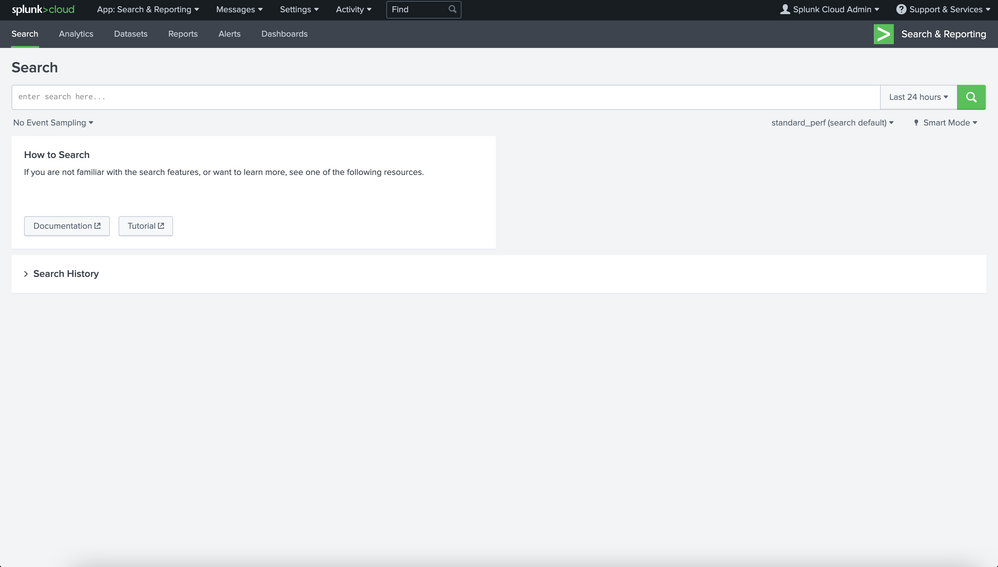
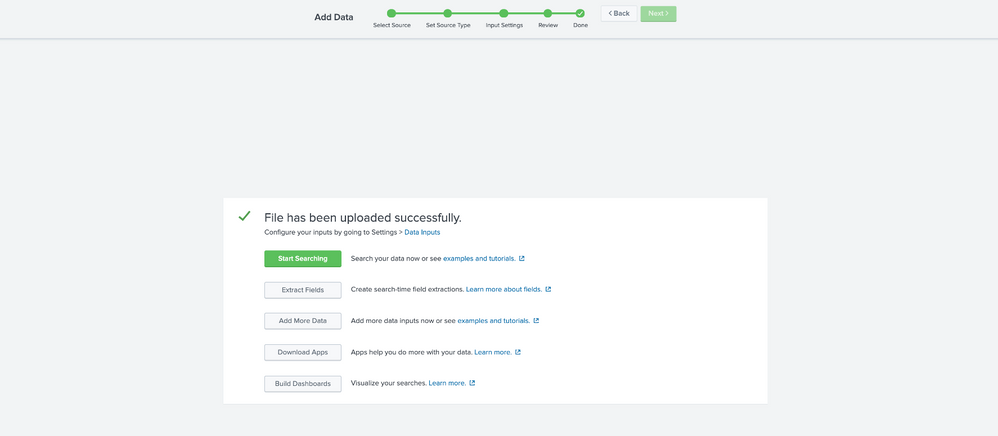
I'm attempting to follow along with a Splunk Fundamentals training which requires me to upload a few files (csv, linux_secure & a DB file) & then navigate to the Search & Reporting app to make a few queries on the data. I'm uploading the files correctly since I'm following along with the steps and it gives me successful upload prompts, note that I'm just uploading files from my computer so its very straightforward. Once I navigate to the Search & Reporting app I expect to be able to view the global stats in the "What to Search" box however in my instance I don't see that section at all. After I make a basic query it returns me with zero results.
I'm selecting "All time" when I search - please let me know what the issue is since I know it can't be anything with the installation since I'm just using a Splunk Cloud instance. Please let me know if I'm missing something since I would've assumed this a pretty straightforward exercise.
- Mark as New
- Bookmark Message
- Subscribe to Message
- Mute Message
- Subscribe to RSS Feed
- Permalink
- Report Inappropriate Content

Hello,
Can you share the basic search? do you remember which index you use?
Regards
Alessandro

Index This | Why did the turkey cross the road?
Enter the Agentic Era with Splunk AI Assistant for SPL 1.4
Feel the Splunk Love: Real Stories from Real Customers
