
Join the Conversation
- Find Answers
- :
- Using Splunk
- :
- Splunk Search
- :
- Re: Splunk Web UI - Getting "Cannot get username w...
- Subscribe to RSS Feed
- Mark Topic as New
- Mark Topic as Read
- Float this Topic for Current User
- Bookmark Topic
- Subscribe to Topic
- Mute Topic
- Printer Friendly Page
- Mark as New
- Bookmark Message
- Subscribe to Message
- Mute Message
- Subscribe to RSS Feed
- Permalink
- Report Inappropriate Content

Hi,
We have setup our Splunk cluster, version 7.3.3 in AWS and seeing that on logging into splunk UI, some of the web elements are not loading - like User id, 'Search and Reporting' App(sometimes) etc.
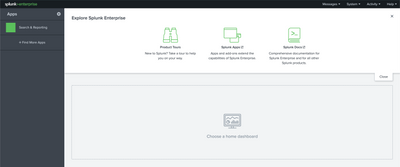
Also when we are performing any search we see that it displays "Cannot get username when all users are selected"

Our search heads are behind AWS NLB. Our policies do not support ALB and hence we have to settle with NLB, which at this time do not support Sticky sessions or persistence.
I have gone thru some of the Splunk Answers on this similar issue and came to know that this is probably because of missing sticky sessions.
Is this really a missing sticky session issue? If yes, Is there any alternate way to resolve this apart from moving from NLB to ALB?
- Mark as New
- Bookmark Message
- Subscribe to Message
- Mute Message
- Subscribe to RSS Feed
- Permalink
- Report Inappropriate Content
Thanks for responding @livehybrid . Unfortunately we cannot go ahead with another lb than what AWS provides.
AWS documentation says you can enable sticky sessions for NLB with type='source_ip' and when I enable stickiness in target group section for NLB in AWS Console, I'm not seeing this issue anymore.
Do you think this might be the solution then?
- Mark as New
- Bookmark Message
- Subscribe to Message
- Mute Message
- Subscribe to RSS Feed
- Permalink
- Report Inappropriate Content


Unfortunately this will indeed be as a result of using an NLB which doesnt support the sticky sessions you need (https://docs.splunk.com/Documentation/Splunk/8.0.4/DistSearch/UseSHCwithloadbalancers)
Other options you could look at might be using DNS to use a primary SH and using a health-check to create a failover configuration, although this will only give you High-availability rather than spreading of load through the UI.
Could you front it with something like HAProxy which could then apply the session persistence?
- Mark as New
- Bookmark Message
- Subscribe to Message
- Mute Message
- Subscribe to RSS Feed
- Permalink
- Report Inappropriate Content
Thanks for responding @livehybrid . Unfortunately we cannot go ahead with another lb than what AWS provides.
AWS documentation says you can enable sticky sessions for NLB with type='source_ip' and when I enable stickiness in target group section for NLB in AWS Console, I'm not seeing this issue anymore.
Do you think this might be the solution then?
- Mark as New
- Bookmark Message
- Subscribe to Message
- Mute Message
- Subscribe to RSS Feed
- Permalink
- Report Inappropriate Content
Ah fantastic. That will work as long as everybody using your instance isnt coming from the same source IP/Proxy/NAT gateway out of your company, otherwise you will all end up hitting the same SH!
- Mark as New
- Bookmark Message
- Subscribe to Message
- Mute Message
- Subscribe to RSS Feed
- Permalink
- Report Inappropriate Content
Yup. Thats right. Agree

Join the Splunk Community Slack to learn, troubleshoot, and make connections with fellow Splunk practitioners in real time!
Join Splunk User Groups to connect and learn in-person by region or remotely by topic or industry.
[Puzzles] Solve, Learn, Repeat: Classic British Rock Bands
New to the Community? Join Us for an Exclusive Post .conf26 Welcome Session (Plus a ...
Accelerate Splunk App Development with AI
