
Join the Conversation
- Find Answers
- :
- Premium Solutions
- :
- Splunk SOAR
- :
- DNS error when logging in to Splunk SOAR instance ...
- Subscribe to RSS Feed
- Mark Topic as New
- Mark Topic as Read
- Float this Topic for Current User
- Bookmark Topic
- Subscribe to Topic
- Mute Topic
- Printer Friendly Page
- Mark as New
- Bookmark Message
- Subscribe to Message
- Mute Message
- Subscribe to RSS Feed
- Permalink
- Report Inappropriate Content


Hi,
I have a simple AWS environment, and want to create an EC2 instance with the Splunk SOAR (On-premises) AMI from the Amazon Marketplace running on it.
I am following these instructions from the Splunk Docs.
The issue I am facing is that when I attempt to log in to the deployed SOAR instance (after giving it 20 mins to initialise), I receive an DNS error as shown on the screenshot below. I am using the public IP address from the AWS console.
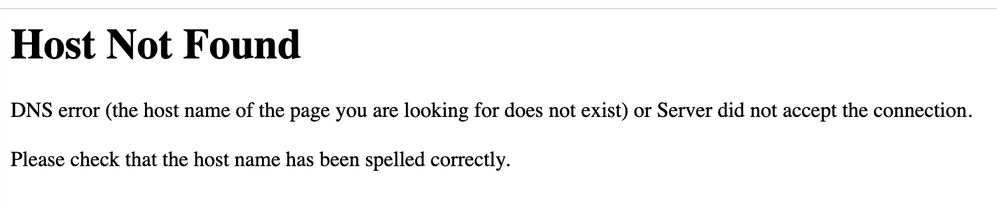
Has someone an idea? Thanks in advance for your help and support!
- Mark as New
- Bookmark Message
- Subscribe to Message
- Mute Message
- Subscribe to RSS Feed
- Permalink
- Report Inappropriate Content
I fixed the issue. I was connecting to the web interface via HTTP and it should have been HTTPS. I guess, I automatically assumed it would be the same as with the Splunk Enterprise AMI, since it doesn't have HTTPS enabled by default.
- Mark as New
- Bookmark Message
- Subscribe to Message
- Mute Message
- Subscribe to RSS Feed
- Permalink
- Report Inappropriate Content
I fixed the issue. I was connecting to the web interface via HTTP and it should have been HTTPS. I guess, I automatically assumed it would be the same as with the Splunk Enterprise AMI, since it doesn't have HTTPS enabled by default.

Upcoming Webinar: Unmasking Insider Threats with Slunk Enterprise Security’s UEBA
.conf25 technical session recap of Observability for Gen AI: Monitoring LLM ...
A Season of Skills: New Splunk Courses to Light Up Your Learning Journey
