
Turn on suggestions
Auto-suggest helps you quickly narrow down your search results by suggesting possible matches as you type.
Splunk Enterprise
×
Join the Conversation
Without signing in, you're just watching from the sidelines. Sign in or Register to connect, share, and be part of the Splunk Community.
Turn on suggestions
Auto-suggest helps you quickly narrow down your search results by suggesting possible matches as you type.
- Find Answers
- :
- Splunk Platform
- :
- Splunk Enterprise
- :
- Monitoring Console [DMC] no longer working after m...
Options
- Subscribe to RSS Feed
- Mark Topic as New
- Mark Topic as Read
- Float this Topic for Current User
- Bookmark Topic
- Subscribe to Topic
- Mute Topic
- Printer Friendly Page
- Mark as New
- Bookmark Message
- Subscribe to Message
- Mute Message
- Subscribe to RSS Feed
- Permalink
- Report Inappropriate Content
Monitoring Console [DMC] no longer working after moving the index database

unkvar
New Member
01-28-2023
10:06 PM
Hello all,
Recently I've had to move our current index DB to a new location to free up some storage space. I followed the documentation outlined in: https://docs.splunk.com/Documentation/Splunk/9.0.3/Indexer/Moveanindex and everything is working fine with exception of the built-in Monitoring Console app.
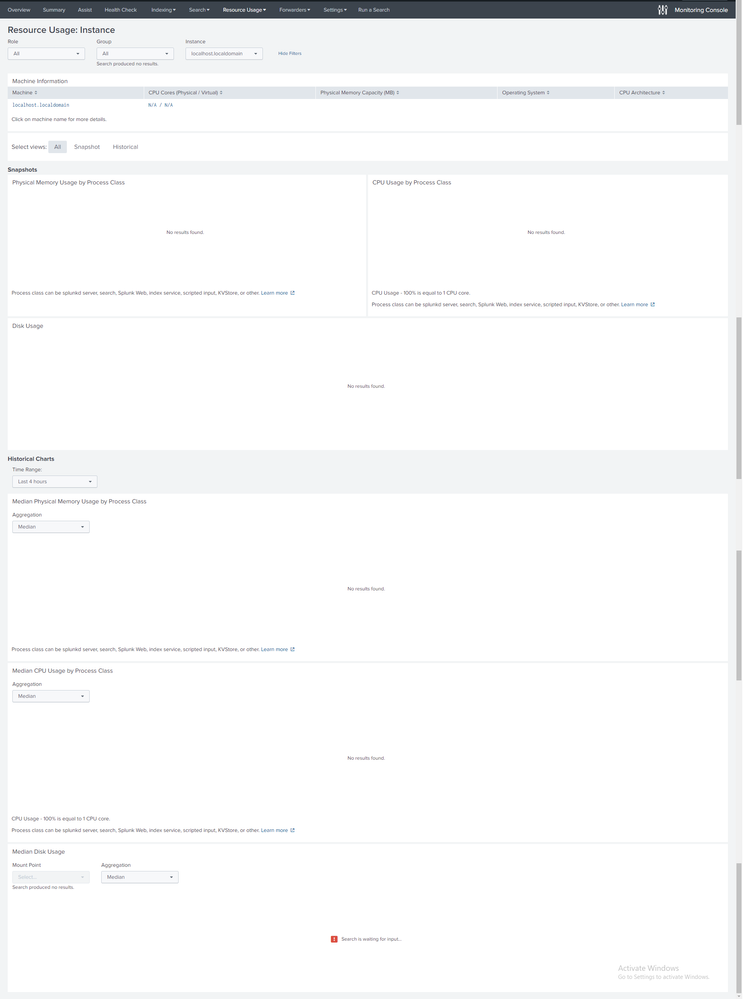
When loading up the resource usage web page for the instance it just appears empty. I tried to narrow down the searches itself and when running the search is just seems that all the dmc macros (dmc_*) aren't working, but if you run the conents of the macro instead of calling the macro it works as expected. Anyone knows why this is happening and the best way to go about fixing it?

Get Updates on the Splunk Community!
Accelerating Observability as Code with the Splunk AI Assistant
We’ve seen in previous posts what Observability as Code (OaC) is and how it’s now essential for managing ...
Integrating Splunk Search API and Quarto to Create Reproducible Investigation ...
Splunk is More Than Just the Web Console
For Digital Forensics and Incident Response (DFIR) practitioners, ...
Congratulations to the 2025-2026 SplunkTrust!
Hello, Splunk Community! We are beyond thrilled to announce our newest group of SplunkTrust members!
The ...
