
Join the Conversation
- Find Answers
- :
- Premium Solutions
- :
- Splunk Enterprise Security
- :
- [PCI] Could you please elobrate logic for display ...
- Subscribe to RSS Feed
- Mark Topic as New
- Mark Topic as Read
- Float this Topic for Current User
- Bookmark Topic
- Subscribe to Topic
- Mute Topic
- Printer Friendly Page
- Mark as New
- Bookmark Message
- Subscribe to Message
- Mute Message
- Subscribe to RSS Feed
- Permalink
- Report Inappropriate Content
[PCI] Could you please elobrate logic for display of Compliance Status History view for security Posture


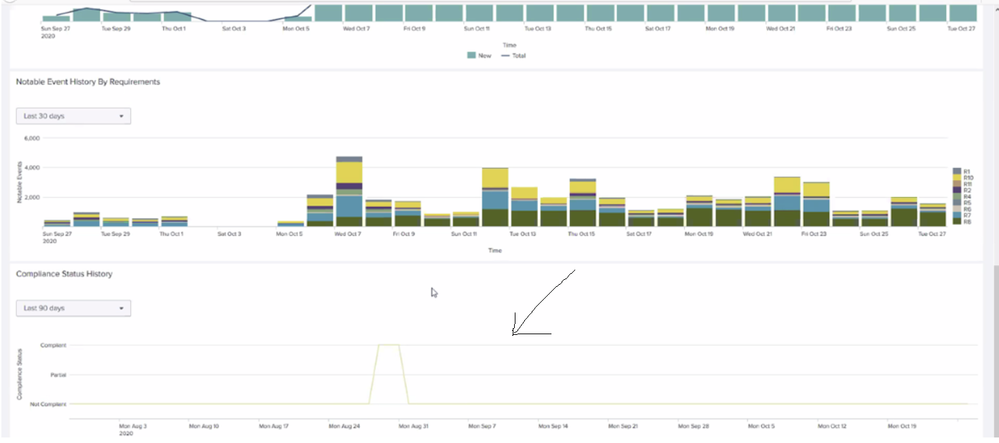
The issue is for the “PCI Compliance Posture” dashboard the View “Compliance Status History” is not showing data. It just displays. It just displayed line
- Mark as New
- Bookmark Message
- Subscribe to Message
- Mute Message
- Subscribe to RSS Feed
- Permalink
- Report Inappropriate Content
The view is based on search
index="pci_posture_summary" search_name="PCI - Compliance Status History - Summary Gen" | `makemv(orig_tag)` | `mvappend_field(tag,orig_tag)` | extract kv_for_pci_compliance_status_history_summary | timechart span=`pci_compliance_history_span` latest(All) as All
If you look at the SPL for the base search for "PCI - Compliance Status History - Summary Gen", it has following results
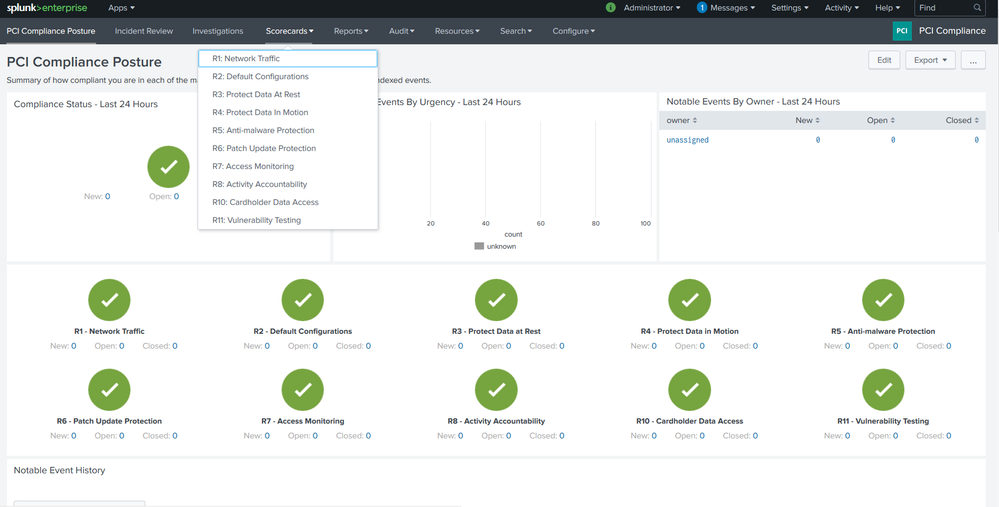
Each of the requirement refers to scorecards on "PCI Compliance Posture"
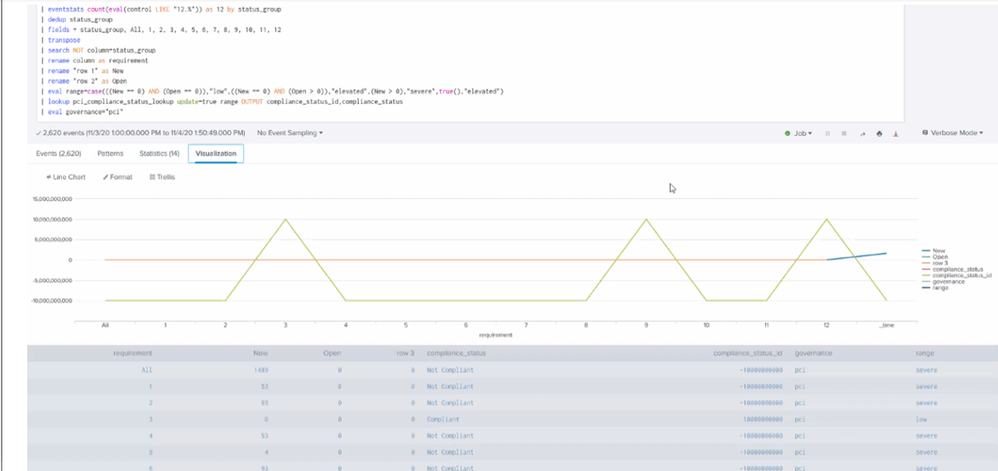
Based on the search for "Compliance Status History"
- Where “All” requirement has rolled up number from another score cards on
- The logic is, when we have new notable i.e ( where investigation has not started ) , in this case we will show compliance_status= - 10000000000
-In case we have notable that are being investigated they will have compliance_status=0
-If all the investigation get closed -when the search run in that case compliance_status= 10000000000

New Year, New Changes for Splunk Certifications
Stay Connected: Your Guide to January Tech Talks, Office Hours, and Webinars!
[Puzzles] Solve, Learn, Repeat: Reprocessing XML into Fixed-Length Events
