
Join the Conversation
- Find Answers
- :
- Splunk Administration
- :
- Admin Other
- :
- Installation
- :
- Why EXPLORE SPLUNK window always stays open?
- Subscribe to RSS Feed
- Mark Topic as New
- Mark Topic as Read
- Float this Topic for Current User
- Bookmark Topic
- Subscribe to Topic
- Mute Topic
- Printer Friendly Page
- Mark as New
- Bookmark Message
- Subscribe to Message
- Mute Message
- Subscribe to RSS Feed
- Permalink
- Report Inappropriate Content

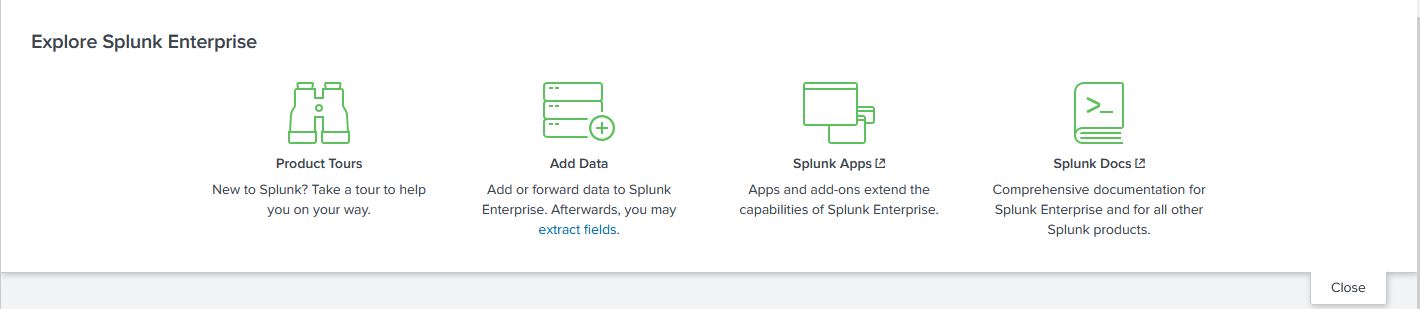
From 8.2.x, i get always the window for EXPLORE SPLUNK ENTERPRISE always open, also if i CLOSE it.
In previous version (7+), when i closed it in Launcher app, instance set it as closed until i re-opened it. From 8.2.x it opens everytime i open my UI, also if i previously click the close button and "make it to sleep", hiding it.
Any helps?
- Mark as New
- Bookmark Message
- Subscribe to Message
- Mute Message
- Subscribe to RSS Feed
- Permalink
- Report Inappropriate Content
The issue is that in Splunk Enterpries 8.2.12 "ui-pref.conf" is not used anymore!!! 🙄 ... and for our users this is a big problem!!!
This is a thread where the issue is described, and solved,
https://community.splunk.com/t5/Splunk-Enterprise/quot-ui-prefs-conf-quot-no-more-working-from-Versi... .
- Mark as New
- Bookmark Message
- Subscribe to Message
- Mute Message
- Subscribe to RSS Feed
- Permalink
- Report Inappropriate Content
No info at all? 🙄
- Mark as New
- Bookmark Message
- Subscribe to Message
- Mute Message
- Subscribe to RSS Feed
- Permalink
- Report Inappropriate Content
The issue is that in Splunk Enterpries 8.2.12 "ui-pref.conf" is not used anymore!!! 🙄 ... and for our users this is a big problem!!!
This is a thread where the issue is described, and solved,
https://community.splunk.com/t5/Splunk-Enterprise/quot-ui-prefs-conf-quot-no-more-working-from-Versi... .

New Year, New Changes for Splunk Certifications
Stay Connected: Your Guide to January Tech Talks, Office Hours, and Webinars!
[Puzzles] Solve, Learn, Repeat: Reprocessing XML into Fixed-Length Events
