
Join the Conversation
- Find Answers
- :
- Splunk Administration
- :
- Getting Data In
- :
- Unversal Forwarder (win/*nix 9.1.1) with specific ...
- Subscribe to RSS Feed
- Mark Topic as New
- Mark Topic as Read
- Float this Topic for Current User
- Bookmark Topic
- Subscribe to Topic
- Mute Topic
- Printer Friendly Page
- Mark as New
- Bookmark Message
- Subscribe to Message
- Mute Message
- Subscribe to RSS Feed
- Permalink
- Report Inappropriate Content
Unversal Forwarder (win/*nix 9.1.1) with specific Index does not show up in Data summary anymore

Hi all,
I successfully forward data from Windows using the command
msiexec.exe /i splunkuniversalforwarder_x86.msi RECEIVING_INDEXER="indexer1:9997" WINEVENTLOG_SEC_ENABLE=1 WINEVENTLOG_SYS_ENABLE=1 AGREETOLICENSE=Yes /quietfrom Install a Windows universal forwarder .
The same for Linux with the command
./splunk add monitor /var/logfrom Configure the universal forwarder using configuration files .
Both works fine and I can see the hosts in the Data Summary as visible in the following figure.
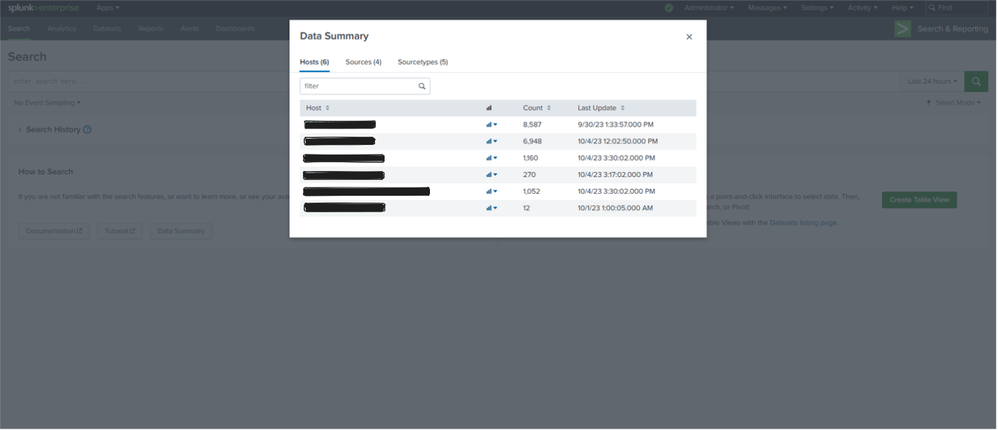
If I instead set up the input in the local "inputs.conf" file after basic installation like
[perfmon://LocalPhysicalDisk]
interval = 10
object = PhysicalDisk
counters = Disk Bytes/sec; % Disk Read Time; % Disk Write Time; % Disk Time
instances = *
disabled = 0
index = winfwtestinger
for example and assign a specific index, I can see that data is ingested if I search for the specific index but they will not appear in the Data Summary. I would be very happy about any suggestion what I am doing wrong here.
Best regards
- Mark as New
- Bookmark Message
- Subscribe to Message
- Mute Message
- Subscribe to RSS Feed
- Permalink
- Report Inappropriate Content


this should be tested. maybe i will give it a try today evening.
well, looks like the developers made some basic errors.. even if we raise support ticket for this, splunk would consider this as low priority ticket.
Sekar
PS - If this or any post helped you in any way, pls consider upvoting, thanks for reading !

Stay Connected: Your Guide to January Tech Talks, Office Hours, and Webinars!
[Puzzles] Solve, Learn, Repeat: Reprocessing XML into Fixed-Length Events
Data Management Digest – December 2025
