
Join the Conversation
- Find Answers
- :
- Using Splunk
- :
- Splunk Search
- :
- Bypassing lookup 1000 limit
- Subscribe to RSS Feed
- Mark Topic as New
- Mark Topic as Read
- Float this Topic for Current User
- Bookmark Topic
- Subscribe to Topic
- Mute Topic
- Printer Friendly Page
- Mark as New
- Bookmark Message
- Subscribe to Message
- Mute Message
- Subscribe to RSS Feed
- Permalink
- Report Inappropriate Content
Bypassing lookup 1000 limit

Hi all,
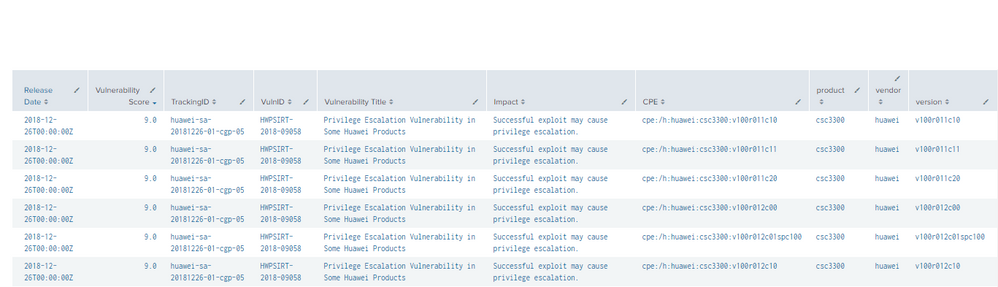
I am trying to make a correlation between an inventory of assets and vulnerability indexed data.
I am currently using:
| lookup assets.csv vendor, product,version OUTPUT Hostname Delivery | where isnotnull (Delivery)
to get exactly which assets appear in the indexed data and are therefore vulnerable, however there is a limit of 1000 when using lookup files.
By trying to solve the problem, I have indexed the inventory data in "index = assets", how could I get the relation of vulnerable assets with data indexed in two different indexes?
Thanks in advance



- Mark as New
- Bookmark Message
- Subscribe to Message
- Mute Message
- Subscribe to RSS Feed
- Permalink
- Report Inappropriate Content
Thank you very much for your response, although I have not be able to make it work, it wasn´t grouping data.
I have achieved it differently, I have created a new field in each index with:
| eval CPE = vendor + ":" + product + ":" version
then:
| stats values (index) as index values (Hostname) as Hostname by CPE | where mvcount (index) > 1

 | mvexpand Hostname
- Mark as New
- Bookmark Message
- Subscribe to Message
- Mute Message
- Subscribe to RSS Feed
- Permalink
- Report Inappropriate Content

This is one of my favorite topics: Joining two data sets with the stats command.
A very quick and dirty way to do this with your data could be to try something like this:
index=vulnerability OR index=assets
| stats first(*) as * by vendor, product, version
This will pull your two data sources together, grouped (or joined) by the vendor, product, and version.
More information can be found here:
https://answers.splunk.com/answers/145077/how-to-perform-join-with-stats.html
There's also a great .conf18 presentation on this topic:
https://conf.splunk.com/watch/conf-online.html?search=join#/

Join the Splunk Community Slack to learn, troubleshoot, and make connections with fellow Splunk practitioners in real time!
Join Splunk User Groups to connect and learn in-person by region or remotely by topic or industry.
Announcing Modern Navigation: A New Era of Splunk User Experience
Modernize your Splunk Apps – Introducing Python 3.13 in Splunk
Step into “Hunt the Insider: An Splunk ES Premier Mystery” to catch a cybercriminal ...
