
Turn on suggestions
Auto-suggest helps you quickly narrow down your search results by suggesting possible matches as you type.
Showing results for
Splunk Cloud Platform
Turn on suggestions
Auto-suggest helps you quickly narrow down your search results by suggesting possible matches as you type.
Showing results for
- Splunk Answers
- :
- Splunk Platform Products
- :
- Splunk Cloud Platform
- :
- Microsoft Azure add-on for Splunk configuration ta...
Options
- Subscribe to RSS Feed
- Mark Topic as New
- Mark Topic as Read
- Float this Topic for Current User
- Bookmark Topic
- Subscribe to Topic
- Mute Topic
- Printer Friendly Page
- Mark as New
- Bookmark Message
- Subscribe to Message
- Mute Message
- Subscribe to RSS Feed
- Permalink
- Report Inappropriate Content
Microsoft Azure add-on for Splunk configuration tab not loading

maxhyjal
New Member
04-07-2021
11:45 AM
Hello,
I set up a trial account on Splunk cloud and followed the following documentation and set up Azure add-on. https://prd-p-ef4ph.splunkcloud.com/en-US/app/TA-MS-AAD/aad_app_registration
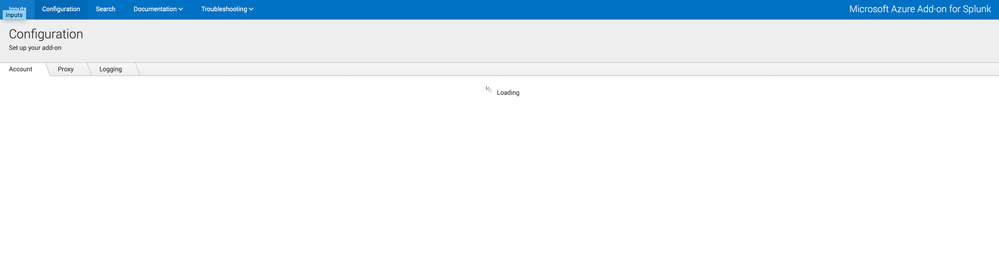
But after that when I clicked the configuration tab in Microsoft Azure add-on app, the loading circle just keeps spinning forever. What did I miss? I have found similar posts but they seem to be on-premise installations. In my case all I did was adding app in IAM and installed Azure add-on in Splunk cloud. Appreciate any advice

Get Updates on the Splunk Community!
Announcing Scheduled Export GA for Dashboard Studio
We're excited to announce the general availability of Scheduled Export for Dashboard Studio. Starting in ...
Extending Observability Content to Splunk Cloud
Watch Now!
In this Extending Observability Content to Splunk Cloud Tech Talk, you'll see how to leverage ...
More Control Over Your Monitoring Costs with Archived Metrics GA in US-AWS!
What if there was a way you could keep all the metrics data you need while saving on storage costs?This is now ...
