
Join the Conversation
- Find Answers
- :
- Splunk Administration
- :
- Admin Other
- :
- Security
- :
- Re: Unable to view LDAP group under Access control...
- Subscribe to RSS Feed
- Mark Topic as New
- Mark Topic as Read
- Float this Topic for Current User
- Bookmark Topic
- Subscribe to Topic
- Mute Topic
- Printer Friendly Page
- Mark as New
- Bookmark Message
- Subscribe to Message
- Mute Message
- Subscribe to RSS Feed
- Permalink
- Report Inappropriate Content
Unable to view LDAP group under Access controls

Hey Splunkers,
I have requested AD team to create a new LDAP group. They have created a new one and added users to that group.
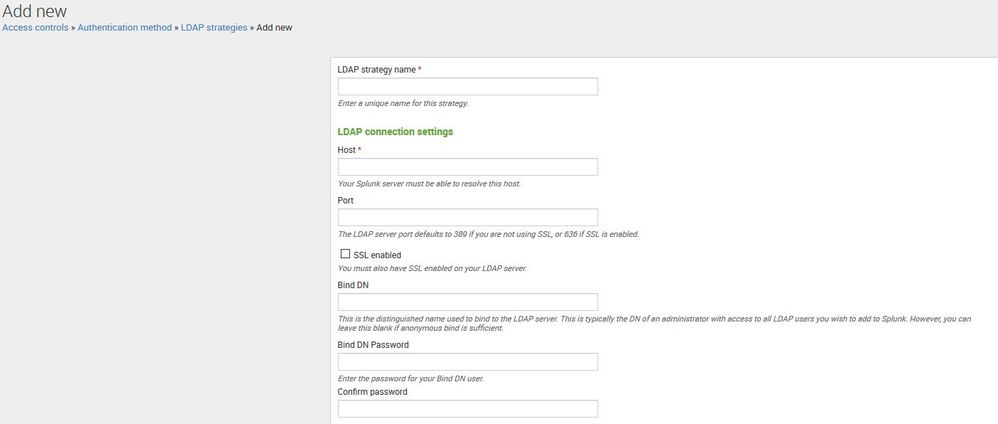
But, I am unable to view that new AD group in Splunk UI under Access controls » Authentication method » LDAP strategies » LDAP Groups
Will Splunk show all the active LDAP groups in organization?.
How will Splunk filter and show the LDAP groups in the UI? Do we have to do any setting?
Thanks in advance !!
- Mark as New
- Bookmark Message
- Subscribe to Message
- Mute Message
- Subscribe to RSS Feed
- Permalink
- Report Inappropriate Content


- Mark as New
- Bookmark Message
- Subscribe to Message
- Mute Message
- Subscribe to RSS Feed
- Permalink
- Report Inappropriate Content

Hi,
As far as I remember correctly it'll fetch 1000 results only, I'll suggest to use Static group search filter aka. groupBaseFilter in authorize.conf to filter out required group(s) or you can use wildcard as well like your all Splunk LDAP group starts with App-Splunk-BLABLA then you can use groupBaseFilter = (cn=APP-SPLUNK-*) in authorize.conf for LDAP strategy.
- Mark as New
- Bookmark Message
- Subscribe to Message
- Mute Message
- Subscribe to RSS Feed
- Permalink
- Report Inappropriate Content
Yes, that filtering worked. Thanks !!
- Mark as New
- Bookmark Message
- Subscribe to Message
- Mute Message
- Subscribe to RSS Feed
- Permalink
- Report Inappropriate Content
I have converted my comment to answer so that you can accept it.

Upcoming Webinar: Unmasking Insider Threats with Slunk Enterprise Security’s UEBA
.conf25 technical session recap of Observability for Gen AI: Monitoring LLM ...
A Season of Skills: New Splunk Courses to Light Up Your Learning Journey
