
Join the Conversation
- Find Answers
- :
- Splunk Administration
- :
- Getting Data In
- :
- Forwarding data from Heavy forwarder to syslog ser...
- Subscribe to RSS Feed
- Mark Topic as New
- Mark Topic as Read
- Float this Topic for Current User
- Bookmark Topic
- Subscribe to Topic
- Mute Topic
- Printer Friendly Page
- Mark as New
- Bookmark Message
- Subscribe to Message
- Mute Message
- Subscribe to RSS Feed
- Permalink
- Report Inappropriate Content
Forwarding data from Heavy forwarder to syslog server exclude audit.log

We're trying to do:
Collect Event Log by REST input on Splunk Enterprise 8.1 --> HF (v8.1 on Windows) --> external Syslog destination.
The logs forwarded from splunk are available on the syslog server and contain the logs we need, but they also contain many audit logs from splunk itself.
No matter how much we modify output.conf we cannot change this.
What do we need to configure in order to filter the audit logs of splunk itself?
Thanks.
Here is the config:
C:\Program Files\Splunk\etc\apps\SplunkForwarder\default\
outputs.conf
[syslog]
defaultGroup = vco_event_group
priority = NO_PRI
syslogSourceType = sourcetype::vco_event_log
[syslog:vco_event_group]
server = 172.16.36.251:5140
props.conf
[vco_event_log]
TRANSFORMS-vco_event_log = vco_to_syslog
transforms.conf
[vco_to_syslog]
DEST_KEY = MetaData:Sourcetype
REGEX = vco_event_log
FORMAT = vco_event_group
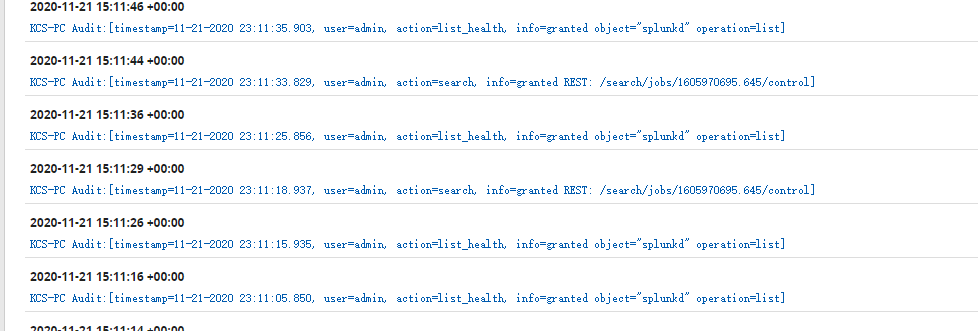
Audit log on Syslog Server
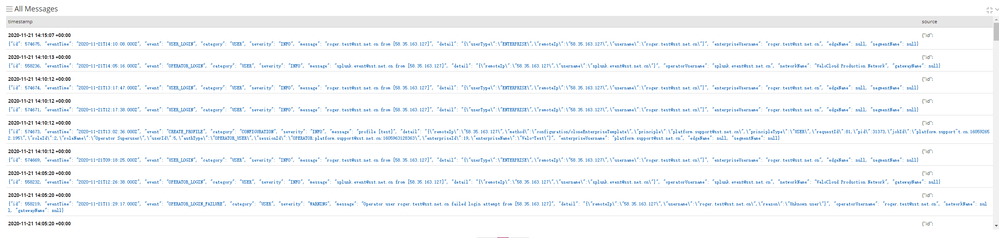
log we needed
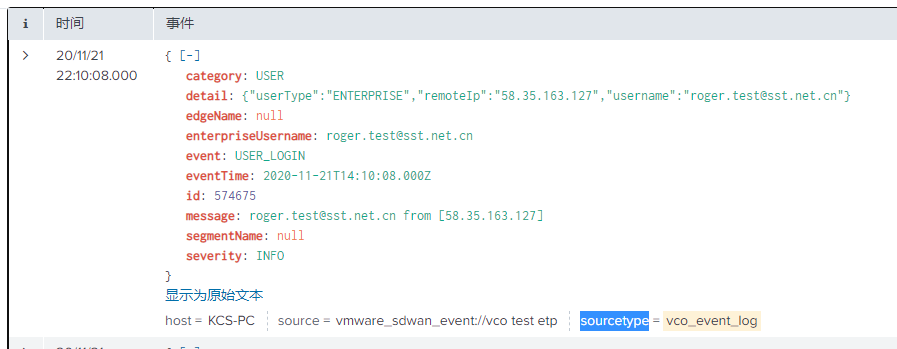
event info.
- Mark as New
- Bookmark Message
- Subscribe to Message
- Mute Message
- Subscribe to RSS Feed
- Permalink
- Report Inappropriate Content

https://community.splunk.com/t5/Getting-Data-In/Filtering-events-using-NullQueue/m-p/66392
How about just sending the audit log to the null queue?

Join the Splunk Community Slack to learn, troubleshoot, and make connections with fellow Splunk practitioners in real time!
Join Splunk User Groups to connect and learn in-person by region or remotely by topic or industry.
Persistent Queue at TcpOut — One of Splunk's Most Practical Features
Catalog Is Now Generally Available on Splunk Cloud Platform
Your Path to AgenticOps: AI Experiences for Every Splunk Practitioner
