
Join the Conversation
- Find Answers
- :
- Using Splunk
- :
- Other Using Splunk
- :
- Alerting
- :
- The field could not be added to log event alert ac...
- Subscribe to RSS Feed
- Mark Topic as New
- Mark Topic as Read
- Float this Topic for Current User
- Bookmark Topic
- Subscribe to Topic
- Mute Topic
- Printer Friendly Page
- Mark as New
- Bookmark Message
- Subscribe to Message
- Mute Message
- Subscribe to RSS Feed
- Permalink
- Report Inappropriate Content

- Mark as New
- Bookmark Message
- Subscribe to Message
- Mute Message
- Subscribe to RSS Feed
- Permalink
- Report Inappropriate Content

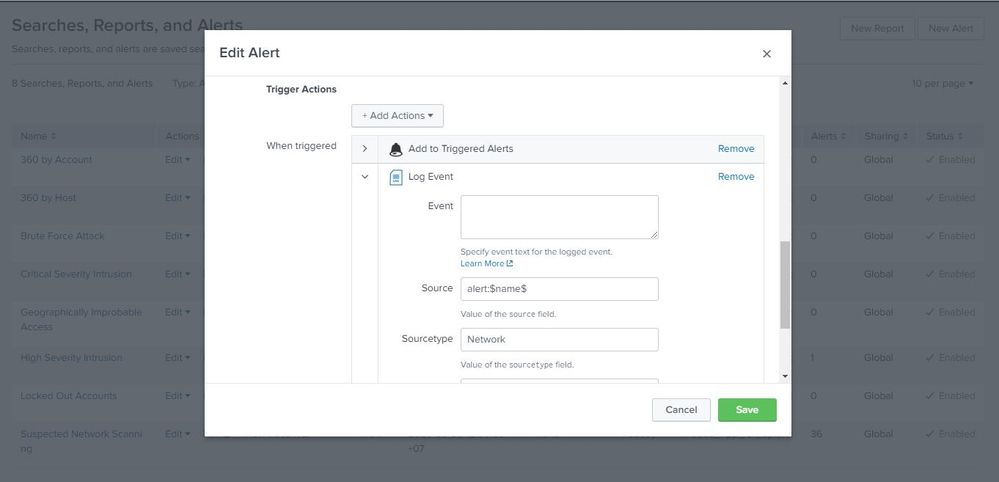
In the Event textfield, you can structure your generated event however you like. To insert values from the alert, use this format: (for example if you want to put src_ip field from the alert into the generated field)
$result.src_ip$
E.g. you can put this in the event text box:
Alert log - src_ip: $result.src_ip$ , severity: $result.severity$
- Mark as New
- Bookmark Message
- Subscribe to Message
- Mute Message
- Subscribe to RSS Feed
- Permalink
- Report Inappropriate Content
In the Event textfield, you can structure your generated event however you like. To insert values from the alert, use this format: (for example if you want to put src_ip field from the alert into the generated field)
$result.src_ip$
E.g. you can put this in the event text box:
Alert log - src_ip: $result.src_ip$ , severity: $result.severity$
- Mark as New
- Bookmark Message
- Subscribe to Message
- Mute Message
- Subscribe to RSS Feed
- Permalink
- Report Inappropriate Content
Thank you for solving my problem 😄
- Mark as New
- Bookmark Message
- Subscribe to Message
- Mute Message
- Subscribe to RSS Feed
- Permalink
- Report Inappropriate Content


The alert is triggered by a query. The first row of the results of the query are available to be used in the log message you create. Therefore, you need to include all the information you want to be in your log in the results of the query that triggers the alert.

Your Guide to Splunk Digital Experience Monitoring
Data Management Digest – November 2025
Upcoming Webinar: Unmasking Insider Threats with Slunk Enterprise Security’s UEBA
